Step 1
Send the quote
Give the customer a clear scope, price, and schedule in an estimate, bid, or proposal.
Recommended document: Construction Quote
Built for the jobs you run every day
Record the work, schedule of values, retainage, RFIs, changes, approvals, and closeout items. With an account, reuse project details across bids, contracts, work orders, change orders, and closeout records.
Estimates, work orders, reports, invoices, and other job documents for trade and service businesses. Download your first PDF before creating an account; the account includes 99 free days, then annual access to every document is $99 if you choose to subscribe.
$99 per year after the 99-day trial · You choose whether to subscribe · Every document included · Cancel anytime
Choose a guided form for the work you quote, complete, document, and bill.
Start with the document you need now; with an account, reuse the customer, site, scope, and pricing in the documents that follow.
Documents for Contractor work
Documents useful for any service business
See the document
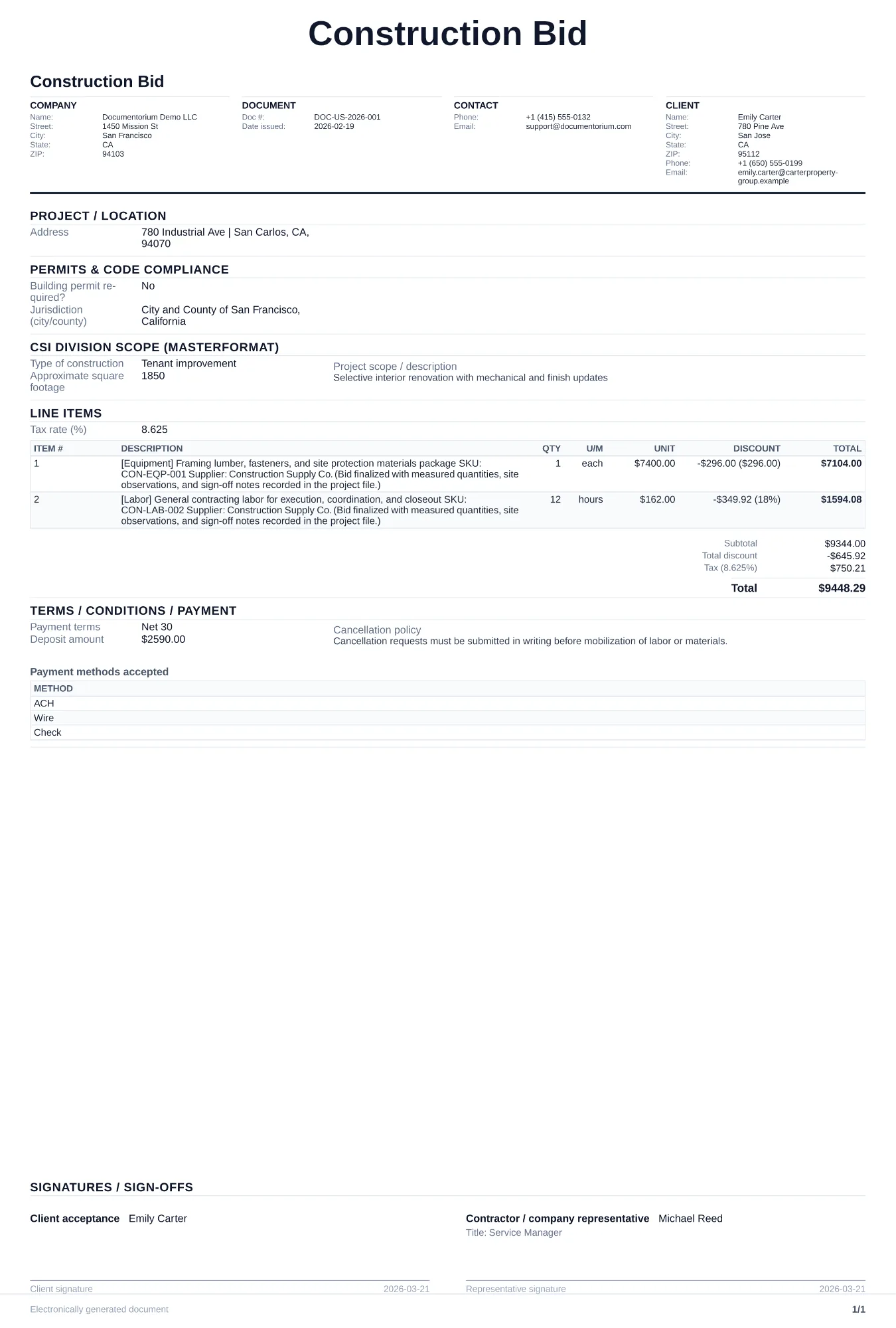
Document bids, project work, approved changes, progress billing, and closeout with construction-specific fields.
With an account, carry the same customer, site, scope, and pricing details through every document from quote to closeout.
Step 1
Give the customer a clear scope, price, and schedule in an estimate, bid, or proposal.
Recommended document: Construction Quote
Step 2
Reuse the approved quote details from your account in a work order, contract, or service report.
Recommended document: Construction Work Order
Step 3
If the scope, price, or schedule changes, record the change and customer approval before work continues.
Recommended document: Change Order
Step 4
Finish with the service report, closeout document, and invoice the job requires.
Recommended document: Invoice
Use bids for formal pricing, contracts for agreed terms, work orders for crews and subcontractors, daily reports for completed work, RFIs for questions, and payment applications for billing. Add change orders and lien waivers when the project requires them.
Yes. The construction bid form supports line items organized by division, with base bid, alternates, and unit pricing sections.
It records the original contract amount, approved changes, schedule-of-values progress, stored materials, retainage, and the current amount requested. It is not presented as an official AIA form; use the form required by your contract.
Yes. The RFI, submittal, and transmittal forms record reference numbers, dates, the material or question submitted, recipients, and response details you enter.
Choose a document, complete the guided form, and download the PDF. You can finish those steps before creating an account; the account adds saved jobs and reusable details.
Each guided form generates a clean, consistently formatted PDF ready to send. Open the sample on the page to see its structure before you start.
Save estimates, work orders, and reports in your account, find them in history, and reuse customer and job details.
Complete the guided form and download the PDF before creating an account. An account then adds saved jobs and reusable details.
See the documents used by related trades and service businesses.