Step 1
Send the quote
Give the customer a clear scope, price, and schedule in an estimate, bid, or proposal.
Recommended document: Concrete Quote
Built for the jobs you run every day
Record dimensions, cubic yards, mix and strength specifications, reinforcement, thickness, finish, placement, and curing. With an account, reuse the details across estimates, bids, contracts, work orders, and inspection records.
Estimates, work orders, reports, invoices, and other job documents for trade and service businesses. Download your first PDF before creating an account; the account includes 99 free days, then annual access to every document is $99 if you choose to subscribe.
$99 per year after the 99-day trial · You choose whether to subscribe · Every document included · Cancel anytime
Choose a guided form for the work you quote, complete, document, and bill.
Start with the document you need now; with an account, reuse the customer, site, scope, and pricing in the documents that follow.
Documents for Concrete professional work
Documents useful for any service business
See the document
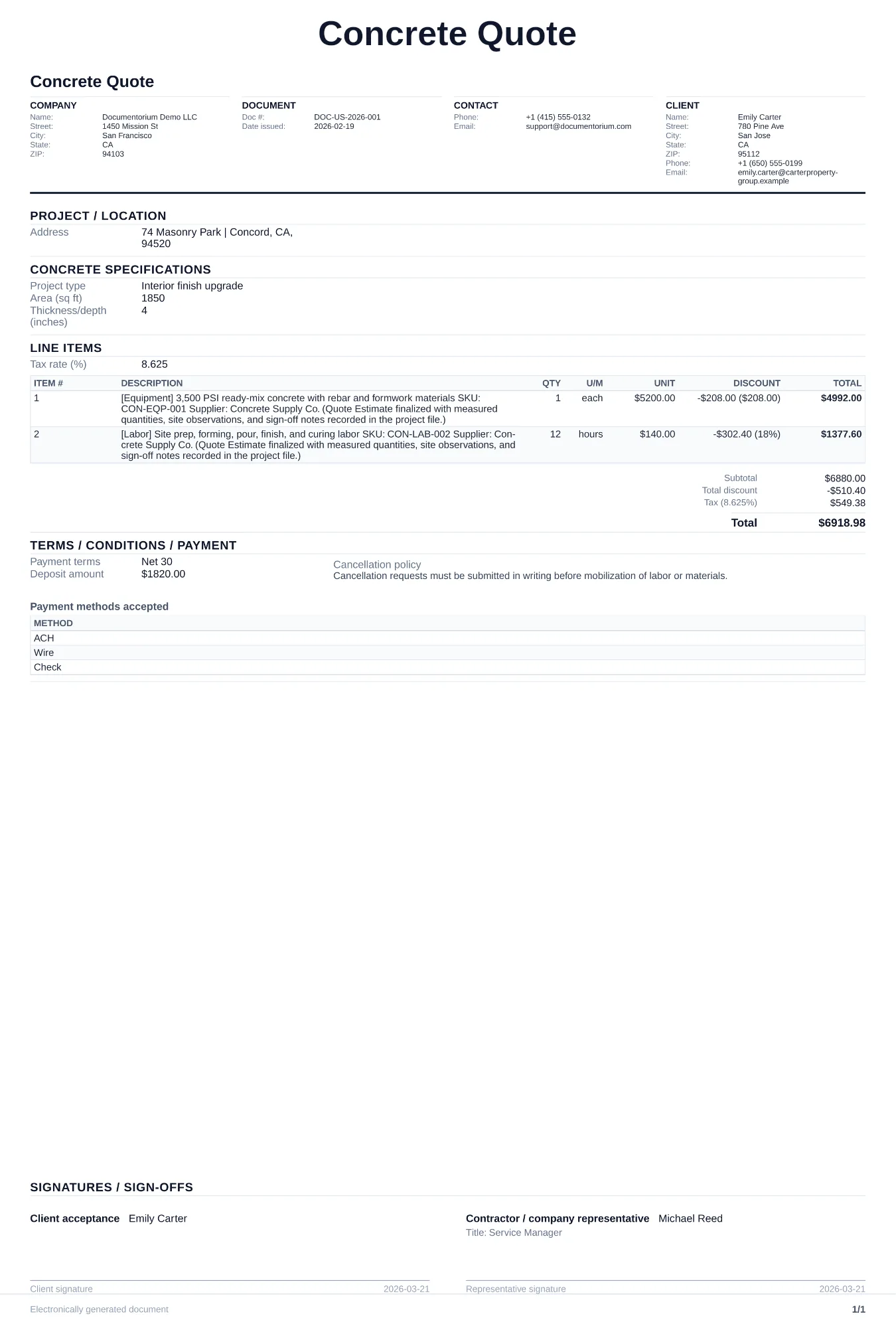
Covers documentation for residential and commercial pours including site prep, placement, finishing, and curing.
With an account, carry the same customer, site, scope, and pricing details through every document from quote to closeout.
Step 1
Give the customer a clear scope, price, and schedule in an estimate, bid, or proposal.
Recommended document: Concrete Quote
Step 2
Reuse the approved quote details from your account in a work order, contract, or service report.
Recommended document: Concrete Work Order
Step 3
If the scope, price, or schedule changes, record the change and customer approval before work continues.
Recommended document: Change Order
Step 4
Finish with the service report, closeout document, and invoice the job requires.
Recommended document: Invoice
A quote or bid before the job, a work order for the pour crew, and a contract for commercial projects. Change orders handle scope adjustments once work is underway.
Yes. Concrete forms include fields for mix type, PSI rating, slump, reinforcement, and pour volume.
Yes. Bid forms support separate line items for mobilization, demolition, forming, pouring, finishing, and cleanup.
Yes. Concrete contracts include weather contingency clauses, cure time responsibilities, and site access terms for ready-mix trucks and pump equipment.
Choose a document, complete the guided form, and download the PDF. You can finish those steps before creating an account; the account adds saved jobs and reusable details.
Each guided form generates a clean, consistently formatted PDF ready to send. Open the sample on the page to see its structure before you start.
Save estimates, work orders, and reports in your account, find them in history, and reuse customer and job details.
Complete the guided form and download the PDF before creating an account. An account then adds saved jobs and reusable details.
See the documents used by related trades and service businesses.