Invoice
Generate a client-ready invoice with line-item pricing, tax details, payment terms, and signatures for clear billing records.
Complete and download the PDF before creating an account
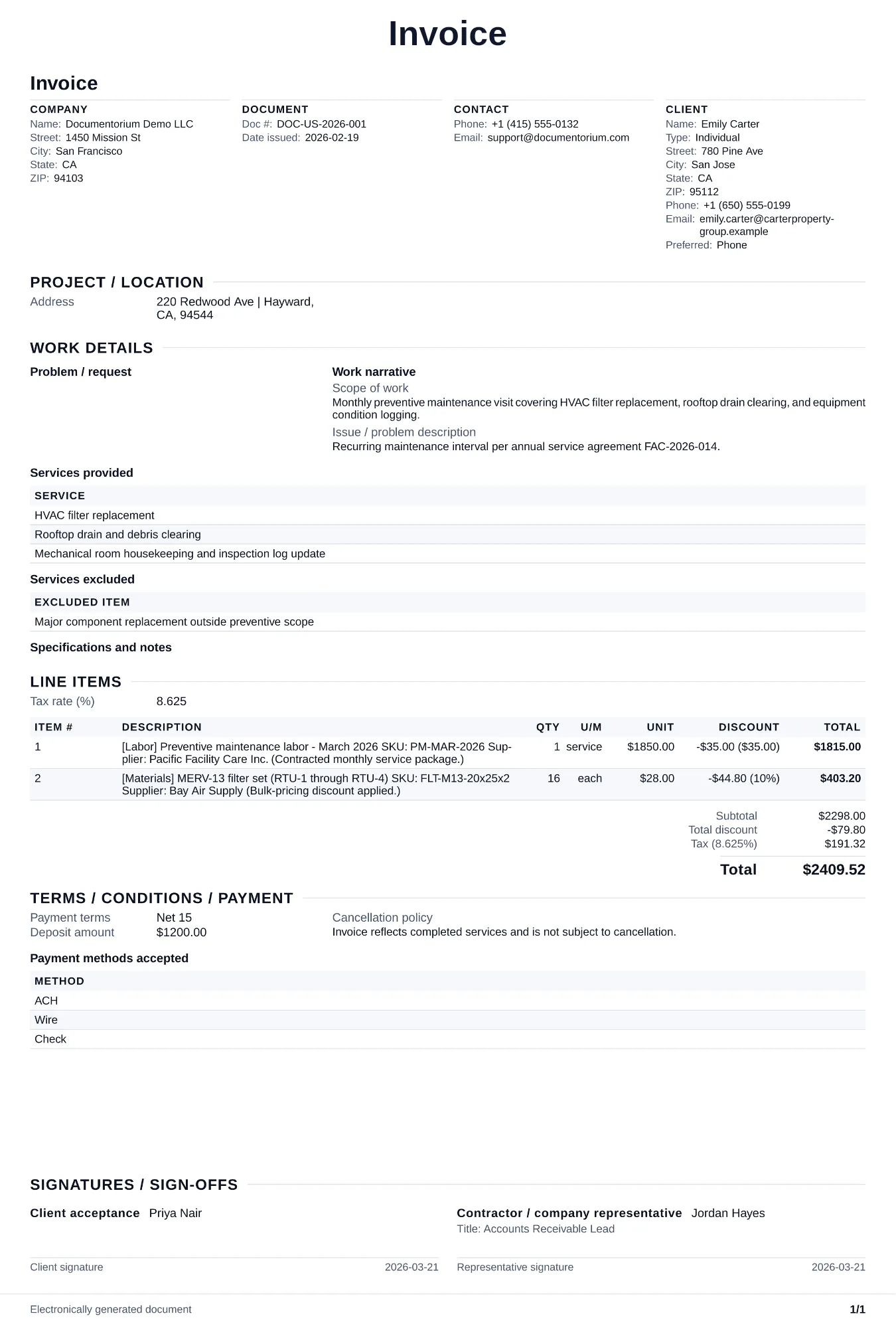
When to use and what to include
Prepare billing details online, then generate an invoice PDF ready to send. Use this after work is completed or at a milestone payment point defined in the contract, to formally request payment from the client for services rendered and materials supplied.
What to include
- Invoice number, invoice date, payment due date, and reference to the contract or work order number so the client can match the invoice to the approved job.
- Itemized line items matching the contract breakdown: description of each task completed, quantity, unit price, and extended amount for labor and materials separately.
- Credits and adjustments: deposit already received, progress payments applied, retainage withheld, approved change order amounts, and any discounts.
- Payment instructions: accepted payment methods, bank account details for wire or ACH, mailing address for checks, and late payment penalty terms.
- Total amount due, payment terms (Net 15, Net 30), and a note referencing the completion certificate or sign-off that confirms the work was accepted.
Common questions
- Can I create and edit this Invoice online before issuing it?
- Yes. Update the line items, taxes entered, due date, and payment terms in the guided form before downloading the final PDF.
- Can I save this Invoice format for recurring billing?
- Yes. With an account, save it and reuse billing structure for repeat customers or milestone invoices.
- Can I generate a client-ready PDF from this Invoice?
- Yes. Export a clear PDF invoice you can email immediately or retain with the business's billing records.
- Should I invoice at completion or at milestones?
- Use milestone invoices only when the contract provides for them. Define each billing event, amount or calculation, supporting evidence, due date, retainage, and final reconciliation without assuming a project-value threshold.
- How should I number my invoices?
- Use a sequence your business can apply consistently, such as 2026-001, so each invoice is easy to reference in your records.
- How do I keep the payment request clear?
- Issue the invoice when the contract or completed work makes the amount due. State the line items, approved changes, total, due date, accepted payment methods, reference number, and delivery or notice method that applies.
- What should I do about late-paying customers?
- After the due date, follow the contract and applicable notice and collection rules. Record the balance, due date, payments, communications, disputed amounts, and any formal notice separately.
- Should my invoice match my original estimate?
- Yes. If the final amount differs from the estimate, show each approved change, added or removed line item, updated total, and the related change-order reference so the customer can reconcile the invoice.
- What should I review before using the completed Invoice?
- Review the parties, job or property details, dates, amounts, notes, and signatures entered in the Invoice. Confirm that the PDF matches the underlying job or agreement and any legal, tax, technical, filing, or notice requirements that apply to the location.