Change Order
Record approved changes to the work, price, and schedule against an existing job, with the change number, reason, impact, revised totals, and authorization…
Complete and download the PDF before creating an account
When to use and what to include
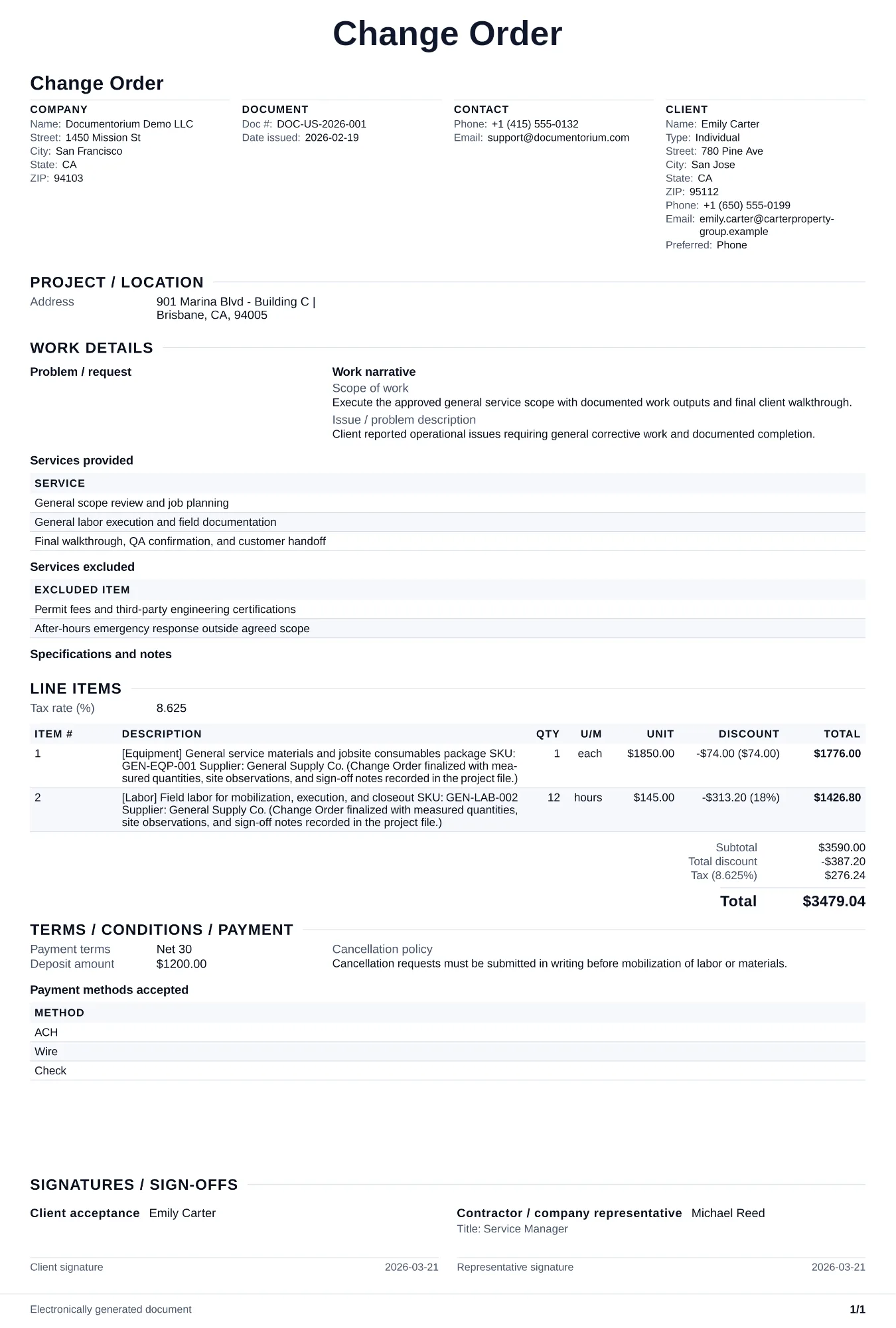
Record a proposed or approved change to the original work, then generate a change-order PDF. State who requested it, what changes, why, the cost and schedule impact, revised totals and dates, and each party's approval status before changed work proceeds.
What to include
- Change order number, reference to the original contract number, date of request, and who initiated the change (client, contractor, or inspector).
- Cost impact broken down by additional labor hours, material costs, equipment, and any subcontractor charges, with a revised contract total.
- Schedule impact stating the number of additional days needed, the new milestone dates affected, and the revised completion date.
- Approval signatures from both the client and contractor with the date, confirming agreement to the revised scope of work, cost, and timeline before changed work begins.
Common questions
- Can I edit this Change Order online before extra work starts?
- Yes. Record the changed work, cost impact, schedule impact, and approval status in the guided form before the changed work begins.
- Can I save this Change Order flow for repeat change scenarios?
- Yes. With an account, save it so your team can process and document changes consistently.
- Can I generate a client-approval PDF from this Change Order?
- Yes. Export a clear PDF for signatures and project file traceability.
- Can a change order reduce the contract price?
- Yes. If the client removes scope of work, issue a deductive change order showing the credit amount and revised contract total.
- How do I price a change order fairly?
- Use the same unit rates from the original contract when possible. For new work types, provide a detailed breakdown so the client can see how you arrived at the price.