Purchase Order
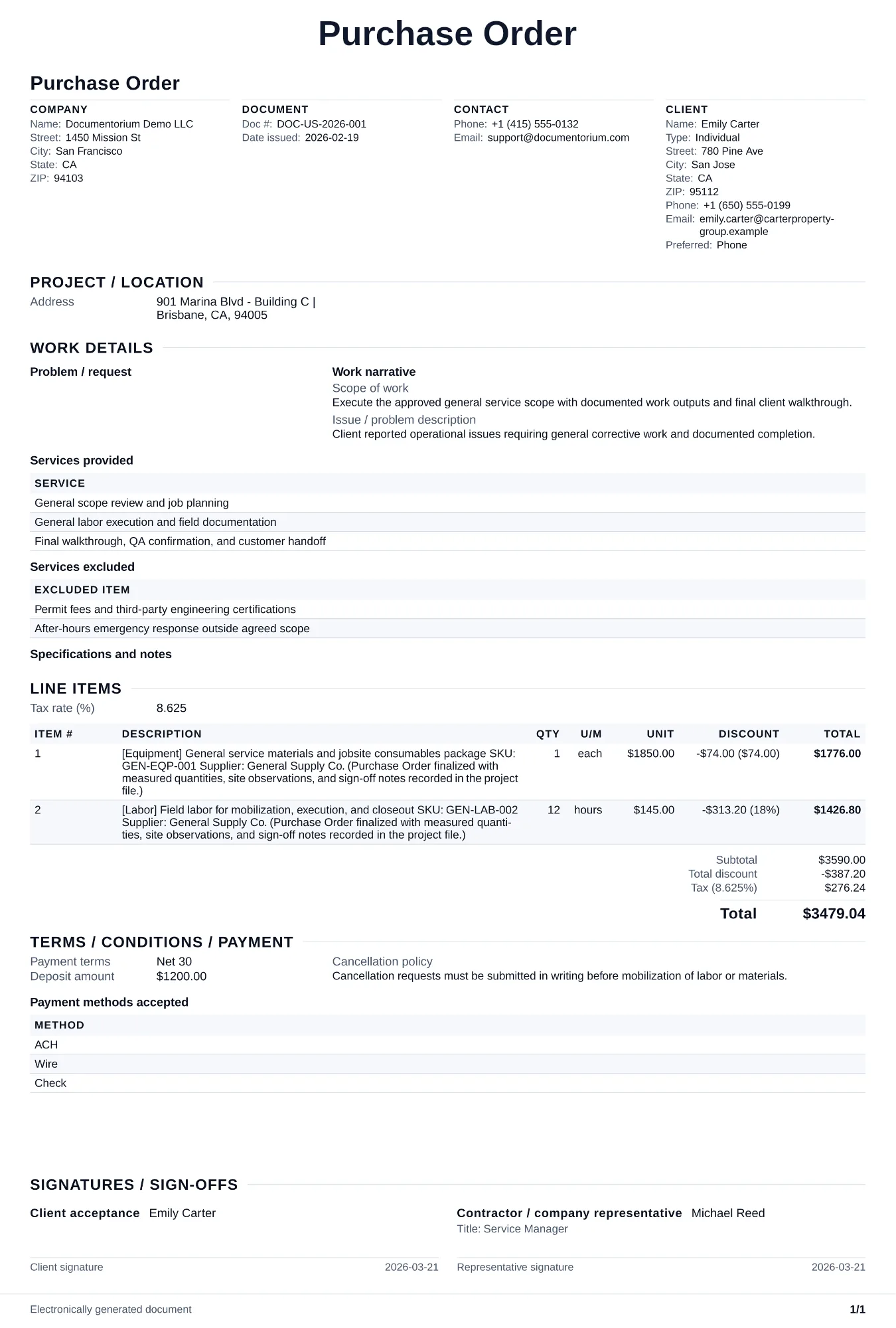
Issue a purchase-order PDF with line-item details, quantities, unit prices, shipping terms, job references, and purchase authorization.
Complete and download the PDF before creating an account
When to use and what to include
Prepare purchasing requests online, then generate procurement PDFs for approval and fulfillment. Use this when ordering materials or equipment from a supplier for a specific job, so you have a written record of what you ordered, the agreed price, and the delivery date you were promised.
What to include
- Purchase order number, date issued, your company name and billing address, and the supplier's name and address.
- Line items with part numbers or SKUs, product descriptions, quantities, unit prices, and extended totals matching the supplier's quote or catalog pricing.
- Payment terms agreed with the supplier: Net 30, COD, credit card on file, or account number, plus any early payment discounts.
- Reference to the job or contract this purchase supports, so the order can be matched to the correct customer and work.
Common questions
- Can I create this Purchase Order online before placing orders?
- Yes. Enter requested items, quantities, vendor details, and approvals directly in the guided form.
- Can I save this Purchase Order and reuse it for repeat buying cycles?
- Yes. With an account, save it in your history and reuse its line-item and supplier details as a starting point.
- Can I generate a purchasing PDF from this Purchase Order?
- Yes. Export a clean PDF for the vendor, requester, approver, or job file.
- Do I need a purchase order for every supply run?
- Use one when the business, customer, or vendor requires documented authorization for a purchase. For small routine purchases, follow your own purchasing policy.
- Should the purchase order reference my client's job?
- Yes. A job or contract reference helps the vendor and your team match the order to the correct work and supporting records.