Construction Change Directive
Issue owner-directed scope of work changes with work descriptions and interim authorization pending negotiated cost and time adjustments.
Complete and download the PDF before creating an account
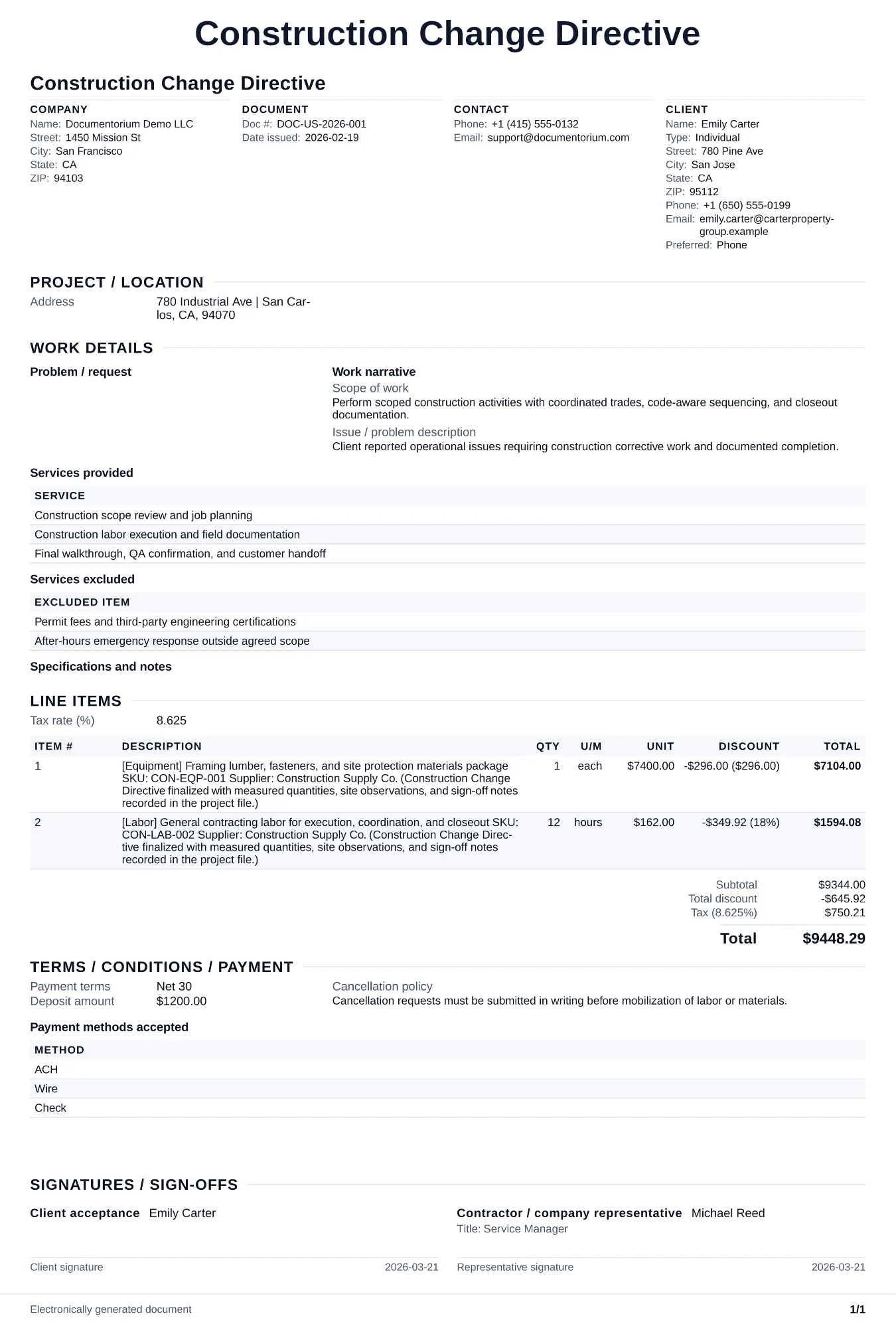
When to use and what to include
Record a construction change directive and generate a PDF for the contract administration process. Identify the issuer and recipient, contract reference, directed work, pricing basis, schedule impact, attachments, dates, and acknowledgment status; follow the change procedure in the governing contract.
What to include
- Change directive number, project name, date issued, and reference to the original contract, along with the names of the owner, architect, and contractor.
- Description of the changed work in detail, referencing plan sheets, specification sections, and locations, with enough information for the contractor to understand exactly what work is being directed.
- Basis for pricing the change: whether the cost will be determined by lump sum proposal, unit prices from the contract, cost of the work plus a markup, or another method specified in the contract.
- Schedule impact acknowledgment noting whether the change is expected to affect the project completion date, and directing the contractor to submit a time impact analysis within a specified number of days.
- Signatures of the owner and architect directing the change, with a space for the contractor to acknowledge receipt and indicate agreement or disagreement with the proposed pricing method.
Common questions
- Can I edit this Construction Change Directive online before extra work starts?
- Yes. Record the changed work, cost impact, schedule impact, and approval status in the guided form before the changed work begins.
- Can I save this Construction Change Directive flow for repeat change scenarios?
- Yes. With an account, save it so your team can process and document changes consistently.
- Can I generate a client-approval PDF from this Construction Change Directive?
- Yes. Export a clear PDF for signatures and project file traceability.
- Does the architect have to sign a change directive?
- Follow the exact contract form, edition, authority matrix, and project procedures. Record the issuer, required approvals or acknowledgments, dates, and effect on cost or time; do not assume the same signers for every change directive.
- What should I review before using the completed Construction Change Directive?
- Review the parties, job or property details, dates, amounts, notes, and signatures entered in the Construction Change Directive. Confirm that the PDF matches the underlying job or agreement and any legal, tax, technical, filing, or notice requirements that apply to the location.