Service Intake Form Checklist for the First Visit
Record what the caller reports, screen for urgent hazards, confirm access and diagnostic fees, and brief the technician before dispatch.
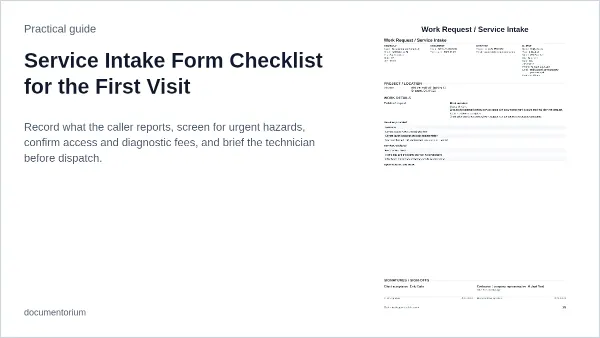
Use the work request intake template to record what the caller reports and what the customer has approved. That gives dispatch the details to escalate a hazard, ask for more information, or book a visit. Once you confirm the visit, put the approved scope and access instructions on the work order.
Escalate urgent hazards before dispatch
For a suspected natural gas leak, tell the caller to leave immediately and call 911 from a safe distance. If a carbon monoxide alarm sounds or the caller suspects exposure, tell them to get outside into fresh air and call 911. They should wait for emergency responders to say when they can return.
For reports of fire or smoke, direct the caller to 911. If water may have reached wiring, outlets, or electrical equipment, tell the caller to stay clear of the affected area and follow your shop’s emergency procedure. Resume routine scheduling only when that procedure permits it.
What to ask before booking
Say a tenant reports water under a dishwasher. The tenant can let the technician in, and the property manager handles spending approvals. Here’s what the dispatcher can record during the call.
| What to ask | Example intake note |
|---|---|
| What happened, when did it start, and which equipment is involved? | Tenant reports water pooling under the dishwasher during the last two wash cycles. Model and source of the leak unconfirmed. |
| Is there a hazard that needs escalation? | Tenant is staying clear of the affected area. Possible electrical hazard referred to the on-call supervisor under the shop’s emergency procedure. |
| What is the service address, and who can let the technician in? | Unit 2B at the confirmed address. Use the east entrance. The tenant can meet the technician between 9 and 11 a.m. |
| Who pays, and what have they approved? | The owner pays. The property manager approved a $95 diagnostic visit by email and can review the repair quote by phone. Routine booking is on hold pending the safety review. |
Label observations as reported and leave the cause for the technician to verify. If you need a separate visit to assess the site or its access, use the site assessment checklist to record what you find.
Request equipment details the caller can get safely
A photo of a visible model label or error display can help the technician find the right manual or look up parts. Ask for one only if the caller can take it safely without climbing, opening panels, moving equipment, or recreating the fault. If the label is out of reach, mark the model as unconfirmed. Ask for a close-up of the label or display and keep it with the job record. Use the work order photo checklist to label the equipment or area shown.
Confirm who can approve the visit and what it costs
Record the site contact, who will pay, and who can approve charges. Confirm whether approval covers diagnosis, repairs up to a given amount, or both. Get a number for the approver and agree on what the technician can do if that person is unavailable.
Before the customer agrees, state the visit fee, what it covers, and whether it will be credited toward a repair. Explain any charges for after-hours service, lack of access, or cancellation. Put the terms in a quote or estimate where appropriate and save the approval.
For electronic and appliance repairs covered by California’s rules, the Bureau of Household Goods and Services recommends giving a service-call quote before the visit. Its guide explains when written diagnosis-fee disclosures and repair estimates are required. California BHGS repair documentation guide
Brief the technician before dispatch
Once you’ve agreed on the arrival window and scope, schedule the visit. In Documentorium, you can save the job in Calendar and create its work order. Put the agreed arrival window and site contact on the work order.
Give the technician the work order, the intake reference, and relevant photos. Note what still needs to be verified, any conditions that require stopping work, and when to call for approval. For the dishwasher visit, once dispatch can proceed, the work order would direct the technician to diagnose the reported leak and send any repair quote to the property manager for approval. The general work order guide covers the rest of the dispatch instructions.
Share gate codes and key pickup details separately through a channel restricted to the people who need them for the visit. Limit access to customer contact details and photos to staff who need them for the job. FTC guide to protecting personal information
Keep the intake as the record of the original request. Use the service report to document the findings, work performed, and any follow-up. The work order and service report example shows how to connect the approval and visit records to the invoice.
Emergency response sources
Reviewed November 24, 2026.
Common questions
Can I book a visit before the model number is confirmed?
Yes, if the technician can assess the equipment safely with the information you have. Mark the model as unconfirmed and give the equipment location so the technician can verify it on site.
What if the technician can’t get in?
Record the arrival time and contact attempts, then notify the office so it can confirm whether to wait or reschedule. Apply a missed-visit charge only if the agreed terms and applicable rules allow it.
Can I confirm a tenant’s visit while approval is pending?
Check whether the tenant can authorize the visit under the customer’s arrangement. If someone else must approve the fee, keep the booking tentative until you have their approval.
What if the technician finds a repair that needs approval?
Send the authorized approver the proposed work and price. Get and record their approval before starting the repair. If you can’t reach them, stay within the approved scope and record who will follow up.