Tiling Work Order
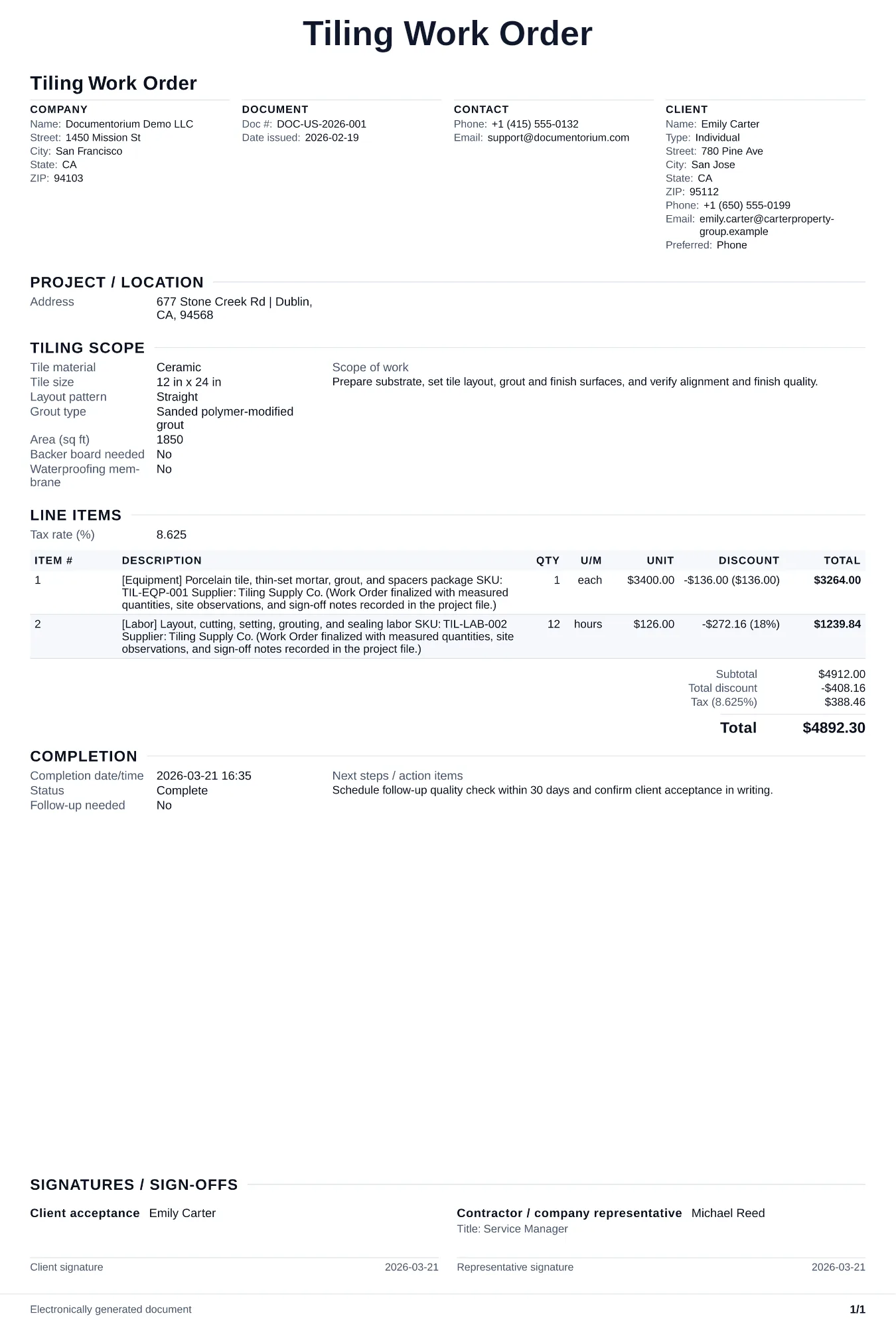
Prepare a tiling work order with areas and layout, substrate and waterproofing tasks, tile and setting materials, grout and joints, crew, schedule, and…
Complete and download the PDF before creating an account
When to use and what to include
Assign and adjust execution details online, then generate a field-ready work order PDF. Use this once the customer approves the quote and you need to assign the job to your tile setter with exact layout, materials, and substrate preparation instructions.
What to include
- Job site address, room access, staging area for materials, and on-site contact for layout approval before setting begins.
- Tile layout per surface: approved pattern, starting point and reference lines, joint width, tile orientation, movement joints, and cut placement under the drawings, tile and system instructions, and customer-approved layout.
- Substrate preparation: measured condition and required tolerance from the project and product system, preparation product and quantity, underlayment or backer specification, fastening method, waterproofing details, and required cure or inspection steps.
- Materials list with quantities: tile, mortar, grout selected for the joint and exposure, spacers, leveling components, sealant, movement-joint materials, waterproofing accessories, and sealer where specified, all tied to current manufacturer instructions.
- Completion checklist: layout symmetry verified, no lippage over 1/32 inch, grout lines consistent and fully filled, grout haze cleaned, caulk at all change-of-plane joints (not grout), sealer applied to natural stone, and customer walk-through sign-off.
Common questions
- Can I edit this Tiling Work Order before work starts?
- Yes. Update the crew, site notes, materials, tasks, and schedule in the guided form before downloading the final PDF.
- Can I save this Tiling Work Order and reuse its details for similar jobs?
- Yes. With an account, save it in your history, edit it later, and reuse its job details as a starting point for similar work.
- Can I export this Tiling Work Order as a crew-ready PDF?
- Yes. Generate a PDF your team can open on-site or print for job folders.
- Why does the starting layout line matter?
- A bad starting point creates uneven cuts at walls, slivers under 2 inches, and visually off-center patterns. The setter should snap chalk lines, dry-lay a row, and adjust before any thinset goes down.
- Should I use grout or caulk at inside corners?
- Record the movement-joint treatment specified for each change of plane and follow the tile-system, sealant, drawing, manufacturer, and applicable installation requirements.
- How do I handle lippage with large-format tiles?
- Use leveling clips and wedges during installation. Back-butter large tiles in addition to troweling the substrate. Maximum allowable lippage is 1/32 inch for tiles with any edge over 15 inches.
- How do I keep work orders easy to identify?
- Give each job a reference number and record its customer, work, assigned crew, planned date, status, and completion notes. With an account, you can save each PDF in your document history.
- Is a work order useful for a small job?
- It can be. A short work order records the requested tasks, price, planned date, assigned crew, and customer acknowledgment in one job document.
- What should I review before using the completed Tiling Work Order?
- Review the parties, job or property details, dates, amounts, notes, and signatures entered in the Tiling Work Order. Confirm that the PDF matches the underlying job or agreement and any legal, tax, technical, filing, or notice requirements that apply to the location.