Solar Installers Work Order
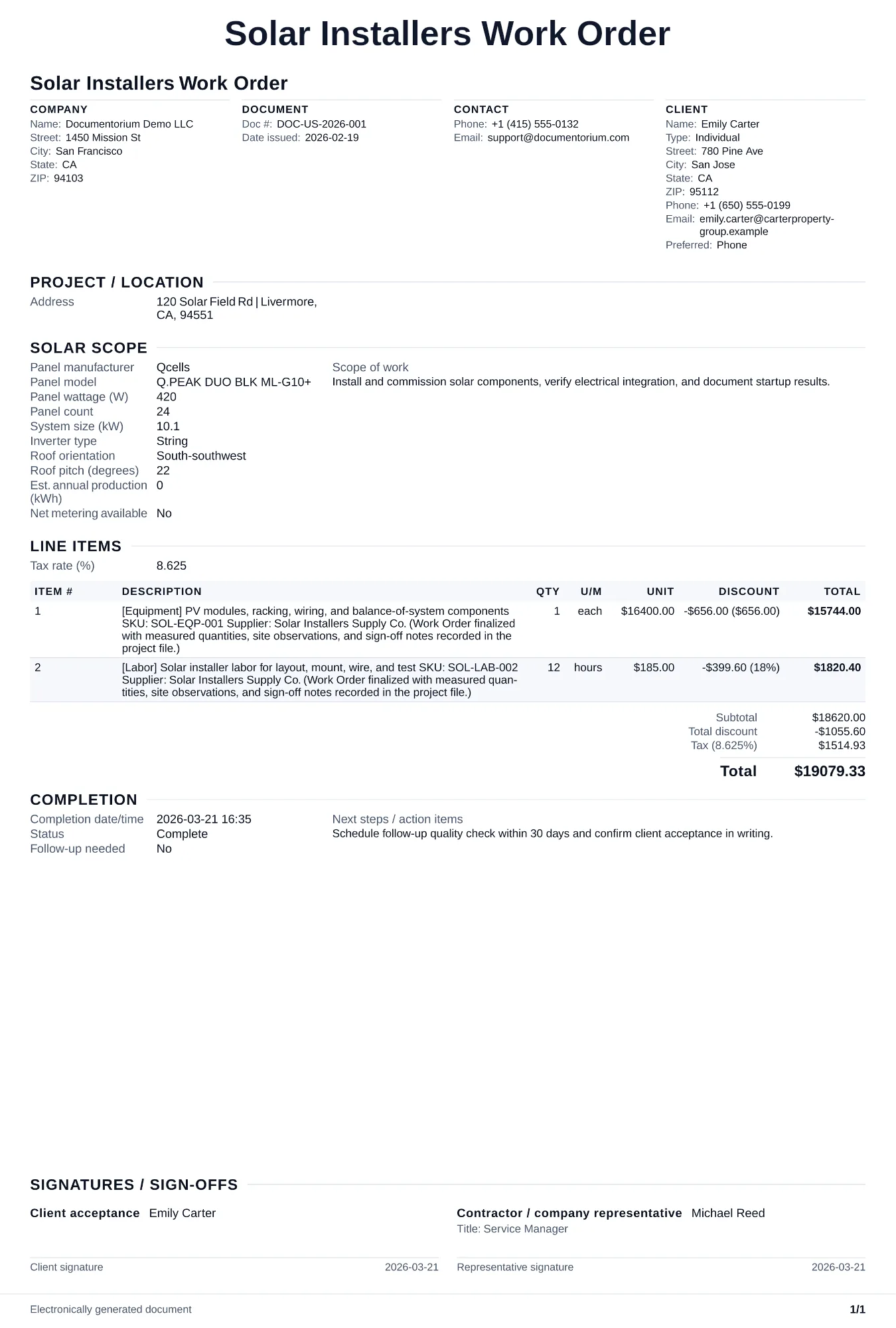
Prepare a solar work order with array and equipment details, roof and access notes, mounting and electrical tasks, permits or interconnection references…
Complete and download the PDF before creating an account
When to use and what to include
Enter the approved installation details online, then generate a work order PDF for the crew. Use it before work starts to record the system layout, equipment list, electrical specifications, site notes, and inspection milestones entered for the project.
What to include
- Job site address, homeowner contact, roof access plan (ladder placement, fall protection anchor points), staging area for equipment, and utility meter location.
- Panel layout map: number of panels per roof section, row and column arrangement, setback distances from ridge, eaves, and edges per local fire code, and racking rail lengths and attachment point spacing.
- Equipment manifest: panel model and serial number range, microinverter or optimizer model and quantity, racking hardware (rails, clamps, flashings, lag bolts by count), conduit type and length, wire gauge per run, disconnects, and monitoring gateway.
- Installation sequence: Day 1 racking and panels, Day 2 electrical and inverter, Day 3 inspection prep and commissioning, with city inspection and utility interconnection approval dates noted.
Common questions
- Can I edit this Solar Installers Work Order before installation starts?
- Yes. Update the crew, site notes, materials, tasks, and schedule in the guided form before downloading the final PDF.
- Can I save this Solar Installers Work Order and reuse its details for similar jobs?
- Yes. With an account, save it in your history, edit it later, and reuse its job details as a starting point for similar work.
- Can I export this Solar Installers Work Order as a crew-ready PDF?
- Yes. Generate a PDF your team can open on-site or print for job folders.
- How do I keep work orders easy to identify?
- Give each job a reference number and record its customer, work, assigned crew, planned date, status, and completion notes. With an account, you can save each PDF in your document history.
- Is a work order useful for a small job?
- It can be. A short work order records the requested tasks, price, planned date, assigned crew, and customer acknowledgment in one job document.
- What should I review before using the completed Solar Installers Work Order?
- Review the parties, job or property details, dates, amounts, notes, and signatures entered in the Solar Installers Work Order. Confirm that the PDF matches the underlying job or agreement and any legal, tax, technical, filing, or notice requirements that apply to the location.