Pool Services Work Order
Prepare a pool-service work order with equipment and current readings, assigned cleaning or repair tasks, products and parts, crew, visit schedule…
Complete and download the PDF before creating an account
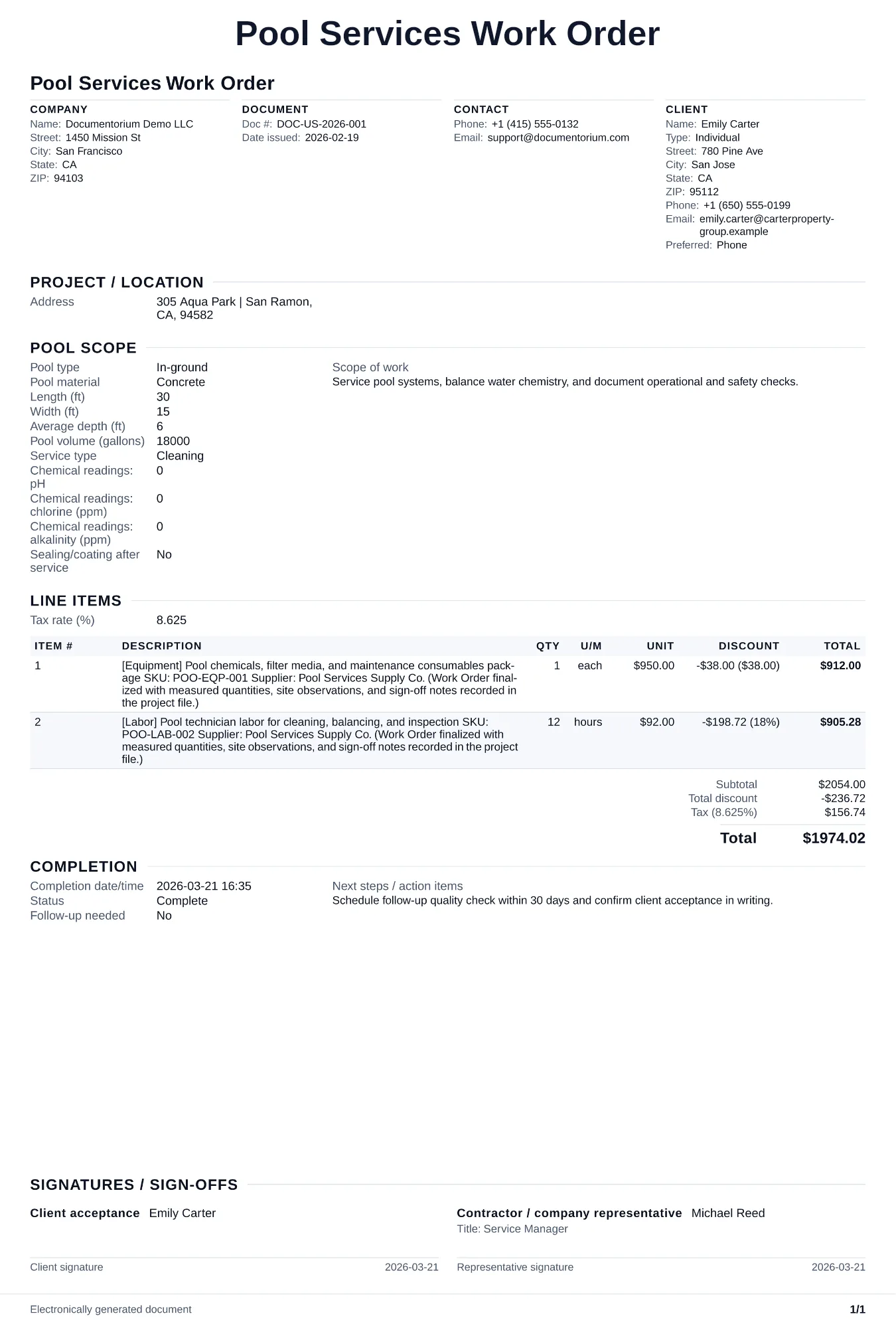
When to use and what to include
Enter the visit details online, then generate a work order PDF for the technician. Use it before a pool-service visit to record the tasks, chemistry targets selected for that pool, equipment details, products, and access notes.
What to include
- Property address, gate code, pool location on property, and dog/pet warning if applicable.
- Pool specs: volume in gallons, surface type, filter type and model (e.g., Pentair, Hayward, or Jandy — include model number from the data plate), pump model (e.g., Pentair, Hayward, or Jandy — note HP and model from the label), heater model, and salt system model if present.
- Chemical service checklist: parameters tested, readings before and after treatment, and the property-specific target ranges selected from current product labels, equipment instructions, health-authority guidance, and applicable local requirements.
- Physical service checklist: skim surface, brush walls and steps, vacuum floor (manual or automatic), empty skimmer and pump baskets, clean filter (backwash/rinse/recharge), inspect equipment for leaks or unusual noise, and check water level.
- Service log section: date, arrival and departure time, chemical readings before and after treatment, chemicals added with quantities, equipment issues found, and recommended repairs with urgency level.
Common questions
- Can I edit this Pool Services Work Order before the visit?
- Yes. Update the crew, site notes, materials, tasks, and schedule in the guided form before downloading the final PDF.
- Can I save this Pool Services Work Order and reuse its details for similar jobs?
- Yes. With an account, save it in your history, edit it later, and reuse its job details as a starting point for similar work.
- Can I export this Pool Services Work Order as a crew-ready PDF?
- Yes. Generate a PDF your team can open on-site or print for job folders.
- Should I record chemical readings on every visit?
- Yes. Before-and-after readings create a dated record that can help a qualified technician assess recurring changes such as pH drift or chlorine demand. The report documents what was measured and added; it does not by itself establish the cause of a later water-quality issue.
- How do I note equipment problems?
- Write the equipment model number, observed symptom, reading and clean baseline when available, then record the technician's recommended priority and whether separate repair approval is needed.
- Do I include the filter cleaning method?
- Yes. Record the filter type, service method actually performed, readings, materials added, and frequency specified by the manufacturer, site procedure, or service agreement.
- How do I keep work orders easy to identify?
- Give each job a reference number and record its customer, work, assigned crew, planned date, status, and completion notes. With an account, you can save each PDF in your document history.
- Is a work order useful for a small job?
- It can be. A short work order records the requested tasks, price, planned date, assigned crew, and customer acknowledgment in one job document.