Photography Quote / Contract
Prepare an itemized estimate with quantities, pricing, taxes entered, and totals for customer review.. Create this document online — fill in client details…
Complete and download the PDF before creating an account
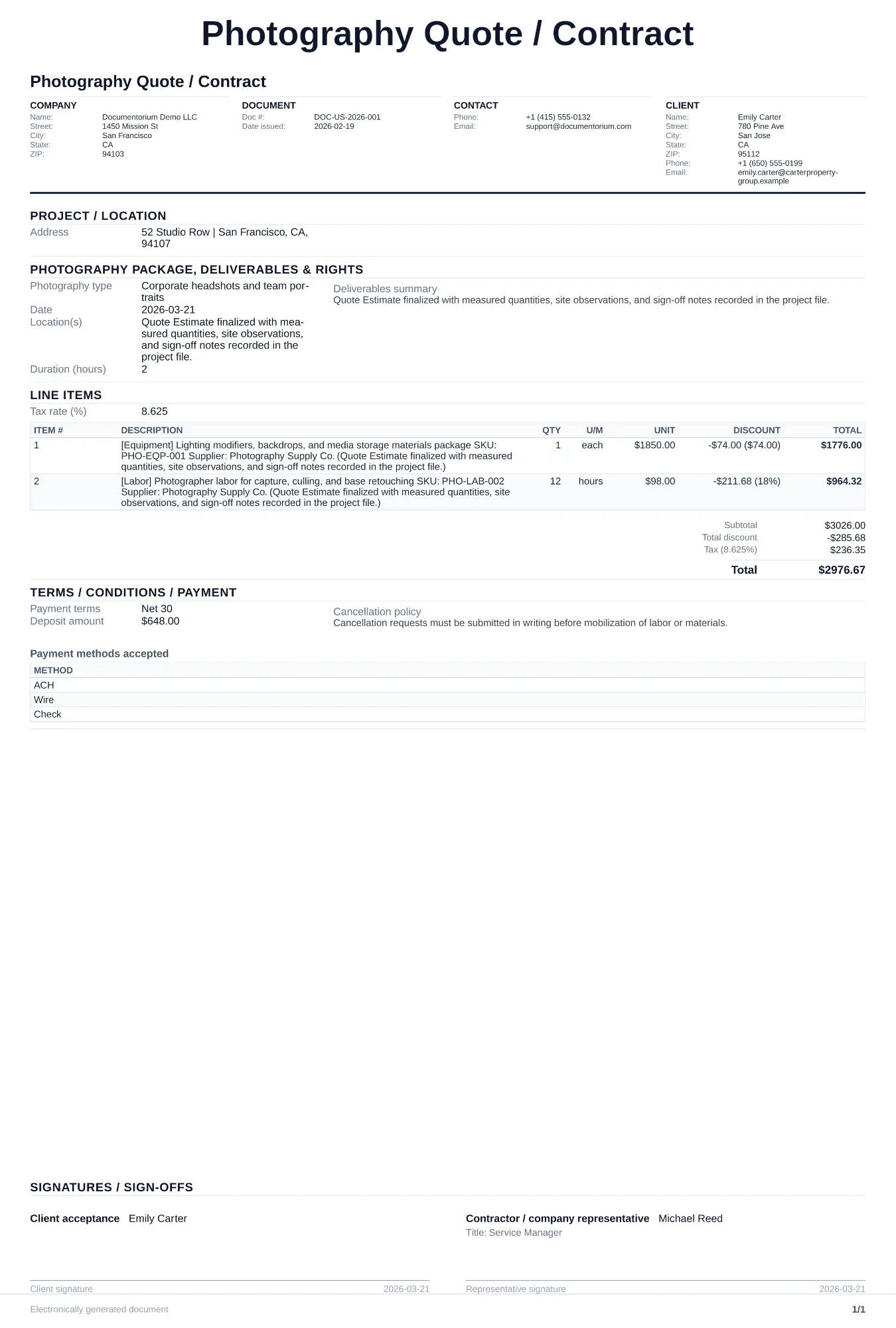
When to use and what to include
Build and revise pricing online, then generate a client-ready quote PDF. Use this when a client requests pricing for a shoot so you can lock in session details, deliverables, and payment terms before booking the date.
What to include
- Session type (portrait, event, commercial, real estate), date, location, and estimated duration.
- Deliverable specifics: number of edited images, format (digital/print), resolution, and turnaround time.
- Itemized pricing for session fee, editing, travel, extra hours, and add-ons like albums or rush delivery.
- Cancellation and rescheduling policy with deposit amount, refund conditions, and weather contingency for outdoor shoots.
Common questions
- Can I build and revise this Photography Quote / Contract online before sending it?
- Yes. Update scope of work, quantities, labor, and totals in your browser, then generate a polished Photography Quote / Contract PDF.
- Can I save this Photography Quote / Contract and reuse it for similar jobs?
- Yes. With an account, save the estimate in your history, edit it later, and reuse relevant line items and job details for similar work.
- Can I export this Photography Quote / Contract with finalized pricing and terms?
- Yes. Download a clean PDF with the final scope of work, line items, totals, terms, and customer details ready to send.
- How do I handle pricing for extra editing or reshoots?
- List your per-image editing rate and reshoot day rate as separate line items so the client sees the cost before requesting changes.
- Is a photography quote the same as a contract?
- A quote presents the services and price. A contract records the agreed deliverables, image use, fees, cancellation terms, and signatures. Whether a signed quote forms a contract depends on its wording and applicable law, so use the document and review process appropriate to the job.
- How do I make my estimates look professional?
- Add your company details, itemized labor and materials, totals, schedule, and terms so the customer can review the full estimate in one PDF.
- Should I email or text my estimates?
- Download the formatted PDF and send it by email or message so the customer can open, print, and keep the complete job details.