Pest Control Work Order
Prepare a pest-control work order with target pests, service history, access and hazards, planned treatment, products and equipment, tasks, customer…
Complete and download the PDF before creating an account
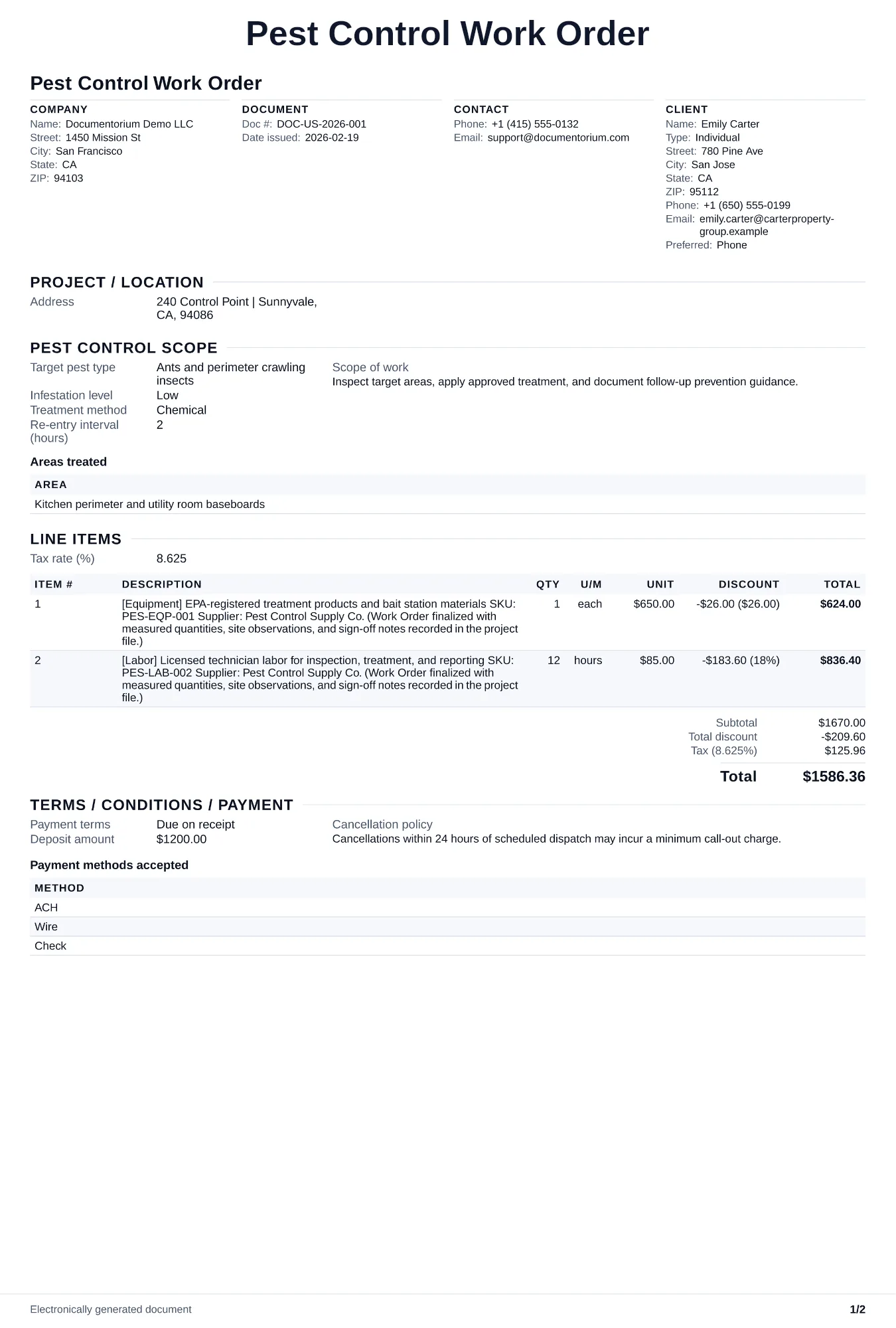
When to use and what to include
Prepare a pest-control visit in the guided form, then generate a field-ready work order PDF. Give the technician the target pests, service history, site access and hazards, planned treatment type, products or equipment to bring, tasks, and customer instructions that still need confirmation on site.
What to include
- Customer name, address, contact number, access instructions (gate code, lockbox, meet at office), and any site hazards (dogs, construction, restricted areas).
- Target pest(s), treatment type (initial, follow-up, callback, quarterly maintenance), and products/equipment to load on the truck with quantities.
- Service history summary: last visit date, what was applied, pest activity trend, and any open issues from the previous report.
- Expected duration, billing code (contract visit, one-time, warranty callback), and any documents to collect (customer signature, access log, bait station map update).
Common questions
- Can I edit this Pest Control Work Order before the visit?
- Yes. Update the crew, site notes, materials, tasks, and schedule in the guided form before downloading the final PDF.
- Can I save this Pest Control Work Order and reuse its details for similar jobs?
- Yes. With an account, save it in your history, edit it later, and reuse its job details as a starting point for similar work.
- Can I export this Pest Control Work Order as a crew-ready PDF?
- Yes. Generate a PDF your team can open on-site or print for job folders.
- How do I handle a callback for the same pest?
- Mark the work order as a warranty callback and apply the billing terms in the service agreement. Record the likely cause, inspection findings, and adjusted treatment approach.
- How do I keep work orders easy to identify?
- Give each job a reference number and record its customer, work, assigned crew, planned date, status, and completion notes. With an account, you can save each PDF in your document history.
- Is a work order useful for a small job?
- It can be. A short work order records the requested tasks, price, planned date, assigned crew, and customer acknowledgment in one job document.
- What should I review before using the completed Pest Control Work Order?
- Review the parties, job or property details, dates, amounts, notes, and signatures entered in the Pest Control Work Order. Confirm that the PDF matches the underlying job or agreement and any legal, tax, technical, filing, or notice requirements that apply to the location.