Painting Quote
Prepare an itemized estimate with quantities, pricing, taxes entered, and totals for customer review. Covers prep requirements, coating specifications…
Complete and download the PDF before creating an account
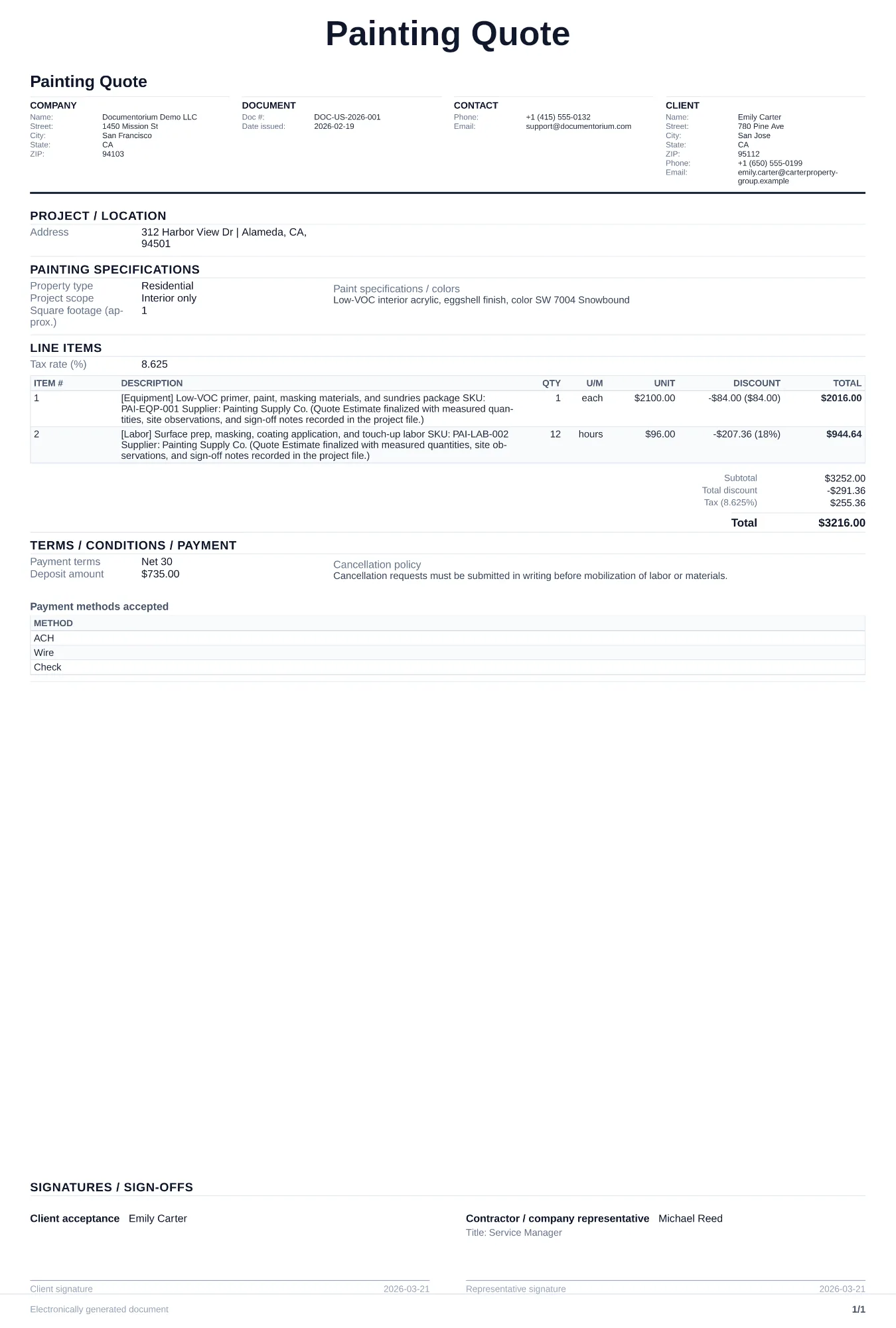
When to use and what to include
Build and revise pricing online, then generate a client-ready quote PDF. Use this when a homeowner or property manager requests pricing for a paint job, before any work is scheduled.
What to include
- Room-by-room or exterior-section breakdown with square footage, number of coats, and paint brand/sheen for each area.
- Surface preparation details: patching, sanding, caulking, primer coats, and whether lead or mold remediation is needed.
- Material costs separated from labor costs, including paint, primer, tape, drop cloths, and any specialty coatings.
- Timeline with start date, estimated duration per phase (prep, prime, paint, touch-up), and final walkthrough date.
- Quote expiration date and conditions that would trigger a price change, such as hidden damage discovered during prep.
Common questions
- Can I build and revise this Painting Quote online before sending it?
- Yes. Update scope of work, quantities, labor, and totals in your browser, then generate a polished Painting Quote PDF.
- Can I save this Painting Quote and reuse it for similar jobs?
- Yes. With an account, save the estimate in your history, edit it later, and reuse relevant line items and job details for similar work.
- Can I export this Painting Quote with finalized pricing and terms?
- Yes. Download a clean PDF with the final scope of work, line items, totals, terms, and customer details ready to send.
- How long should a painting quote stay valid?
- Set a validity date that reflects your current material prices, workload, and the customer's decision window. State the date clearly so both sides know when pricing must be reviewed.
- Should prep work be a separate line item?
- Yes. Surface prep is often half the job. Breaking it out shows the customer why the price is what it is.
- How do I make my estimates look professional?
- Add your company details, itemized labor and materials, totals, schedule, and terms so the customer can review the full estimate in one PDF.
- Should I email or text my estimates?
- Download the formatted PDF and send it by email or message so the customer can open, print, and keep the complete job details.