Machine Shop Work Order
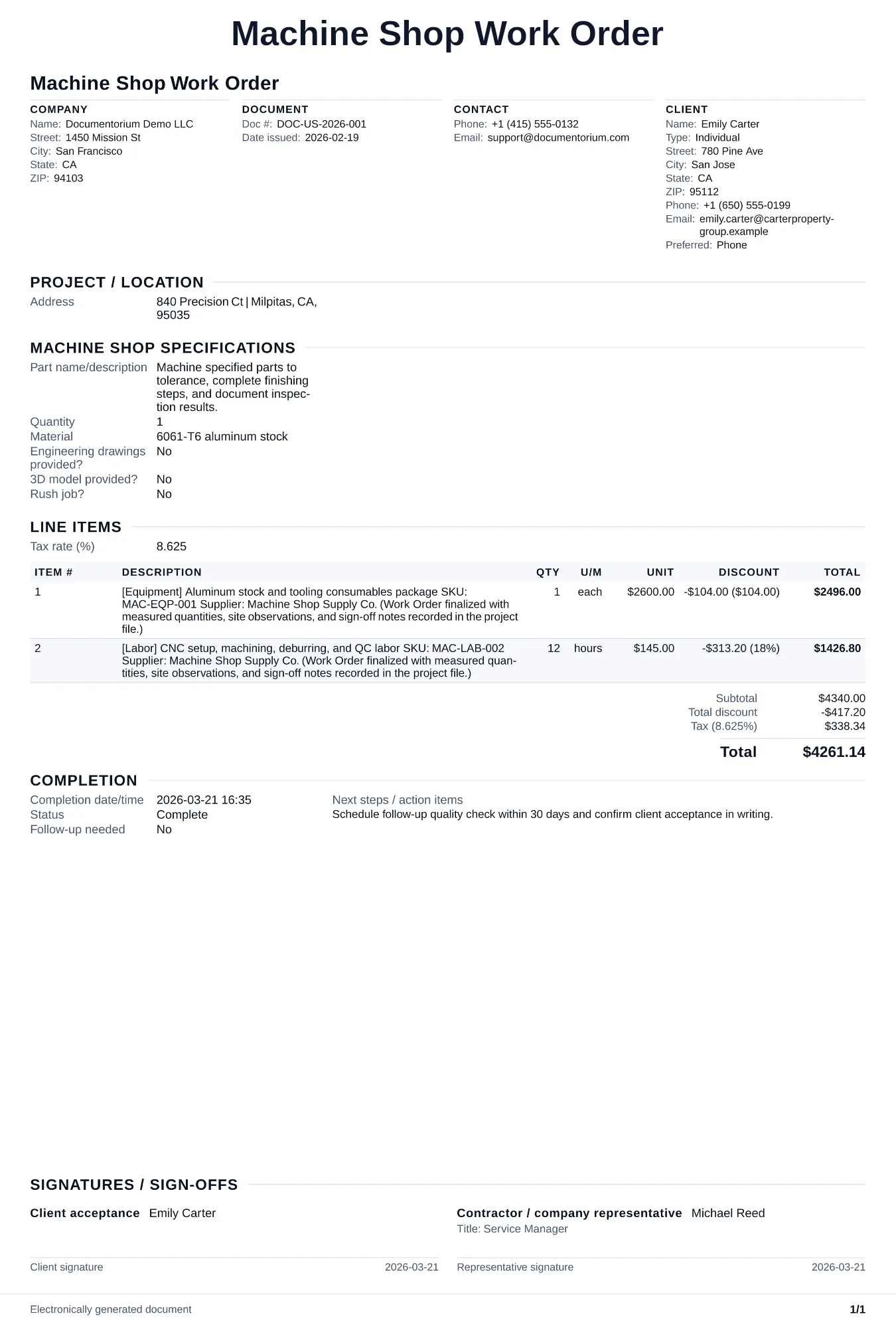
Turn approved work into a field-ready work order with tasks, materials, schedule details, and completion sign-off. Covers part/job specifications, machining…
Complete and download the PDF before creating an account
When to use and what to include
Assign and adjust execution details online, then generate a field-ready work order PDF. Use this to release a job to the shop floor so machinists have every detail they need to set up, run, and inspect the parts correctly.
What to include
- Job number, part number, revision, quantity, and due date with the approved drawing or model file attached or referenced.
- Material callout with alloy, temper/condition, stock size, and material cert requirements (e.g., mill cert to AMS or ASTM spec).
- Operation sequence listing each step (saw, mill, turn, grind, deburr, outside processing) with machine assignment, estimated setup time, and cycle time per piece.
- Critical dimensions, tolerances, and surface finish requirements highlighted separately from the full drawing so the operator knows what to watch during the run.
- Inspection plan: which dimensions get checked, at what frequency (first piece, every Nth piece, 100%), what gages or instruments to use, and where to record results.
Common questions
- Can I edit this Machine Shop Work Order before production starts?
- Yes. Update the crew, site notes, materials, tasks, and schedule in the guided form before downloading the final PDF.
- Can I save this Machine Shop Work Order and reuse its details for similar jobs?
- Yes. With an account, save it in your history, edit it later, and reuse its job details as a starting point for similar work.
- Can I export this Machine Shop Work Order as a crew-ready PDF?
- Yes. Generate a PDF your team can open on-site or print for job folders.
- Should the work order travel with the parts through the shop?
- Yes. A traveler can record the current operation, revision, operator sign-off, quantity, inspection result, and hold notes as the lot moves through the shop.
- How do I handle a mid-run engineering change?
- Stop the current operation, update the work order with the new revision, quarantine parts made to the old revision, and get sign-off from quality before restarting.
- How do I keep work orders easy to identify?
- Give each job a reference number and record its customer, work, assigned crew, planned date, status, and completion notes. With an account, you can save each PDF in your document history.
- Is a work order useful for a small job?
- It can be. A short work order records the requested tasks, price, planned date, assigned crew, and customer acknowledgment in one job document.