Tenancy / Landlord-Tenant Agreement
Capture tenancy details, occupancy period, payment terms, responsibilities, and acknowledgement signatures for organized rental documentation and…
Complete and download the PDF before creating an account
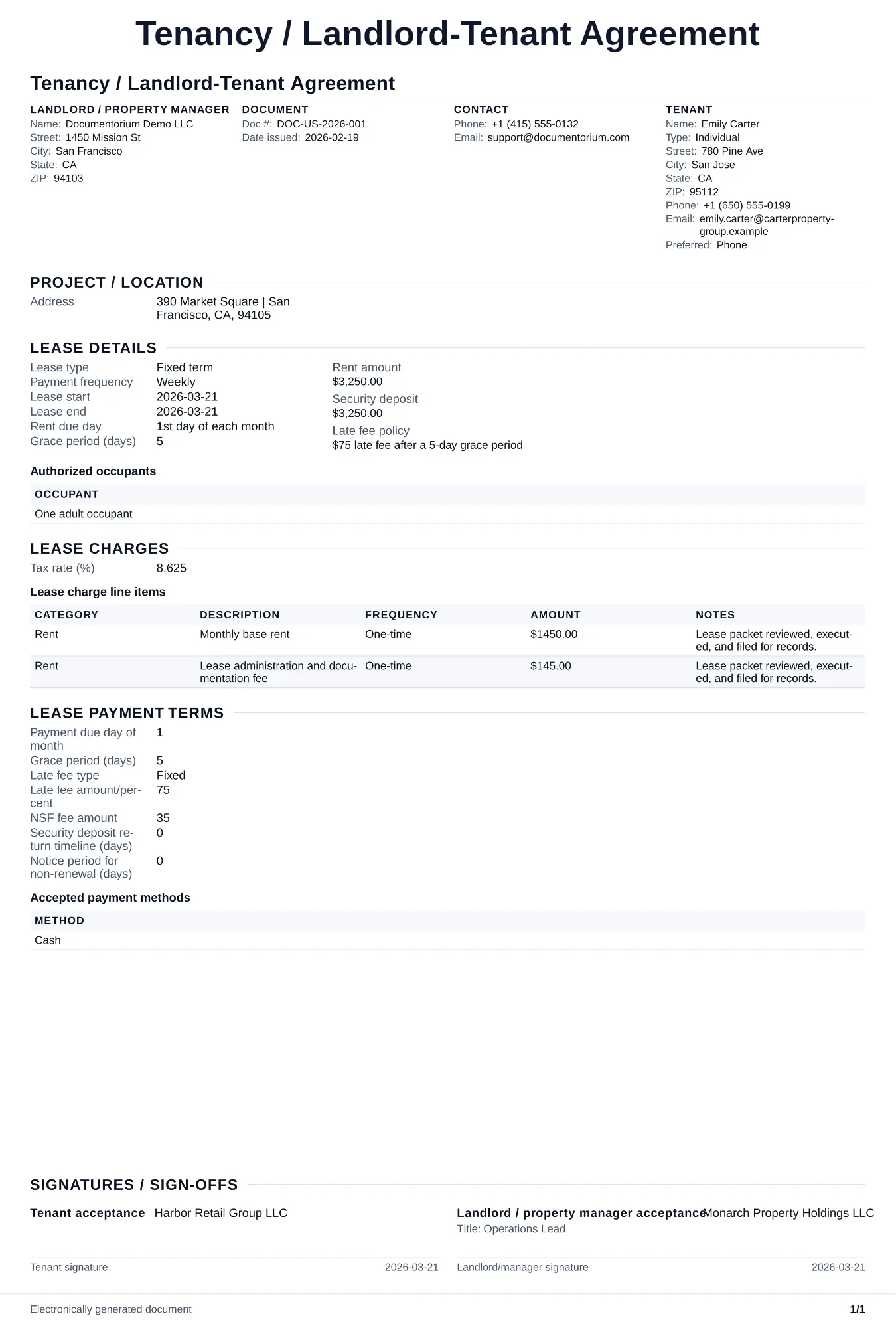
When to use and what to include
Prepare tenancy terms online, then generate a PDF for review and signature. Record the parties, premises, term, rent, permitted charges, deposit, maintenance, access, notices, and agreed responsibilities, then confirm the completed agreement under applicable landlord-tenant law.
What to include
- Names of the landlord (or property management company) and all tenants, along with the full property address and description of the rented space.
- Tenancy type (fixed-term or periodic), rent amount, payment due date, grace period, and consequences for late or missed payments.
- The parties and contact details relevant to the document.
Common questions
- Can I customize this Tenancy / Landlord-Tenant Agreement online for each tenant or property?
- Yes. Revise the rent terms, responsibilities, dates, and property details in the guided form before downloading the final PDF.
- Can I save this Tenancy / Landlord-Tenant Agreement and reuse its details for another unit?
- Yes. With an account, save it in your history, edit it later, and reuse its details as a starting point for another unit or tenancy.
- Can I generate a sign-ready PDF from this Tenancy / Landlord-Tenant Agreement?
- Yes. Download a clean PDF ready for electronic or print signing; with an account, you can also keep it in document history.
- What should I review before using the completed Tenancy / Landlord-Tenant Agreement?
- Review the parties, job or property details, dates, amounts, notes, and signatures entered in the Tenancy / Landlord-Tenant Agreement. Confirm that the PDF matches the underlying job or agreement and any legal, tax, technical, filing, or notice requirements that apply to the location.