Rental Receipt
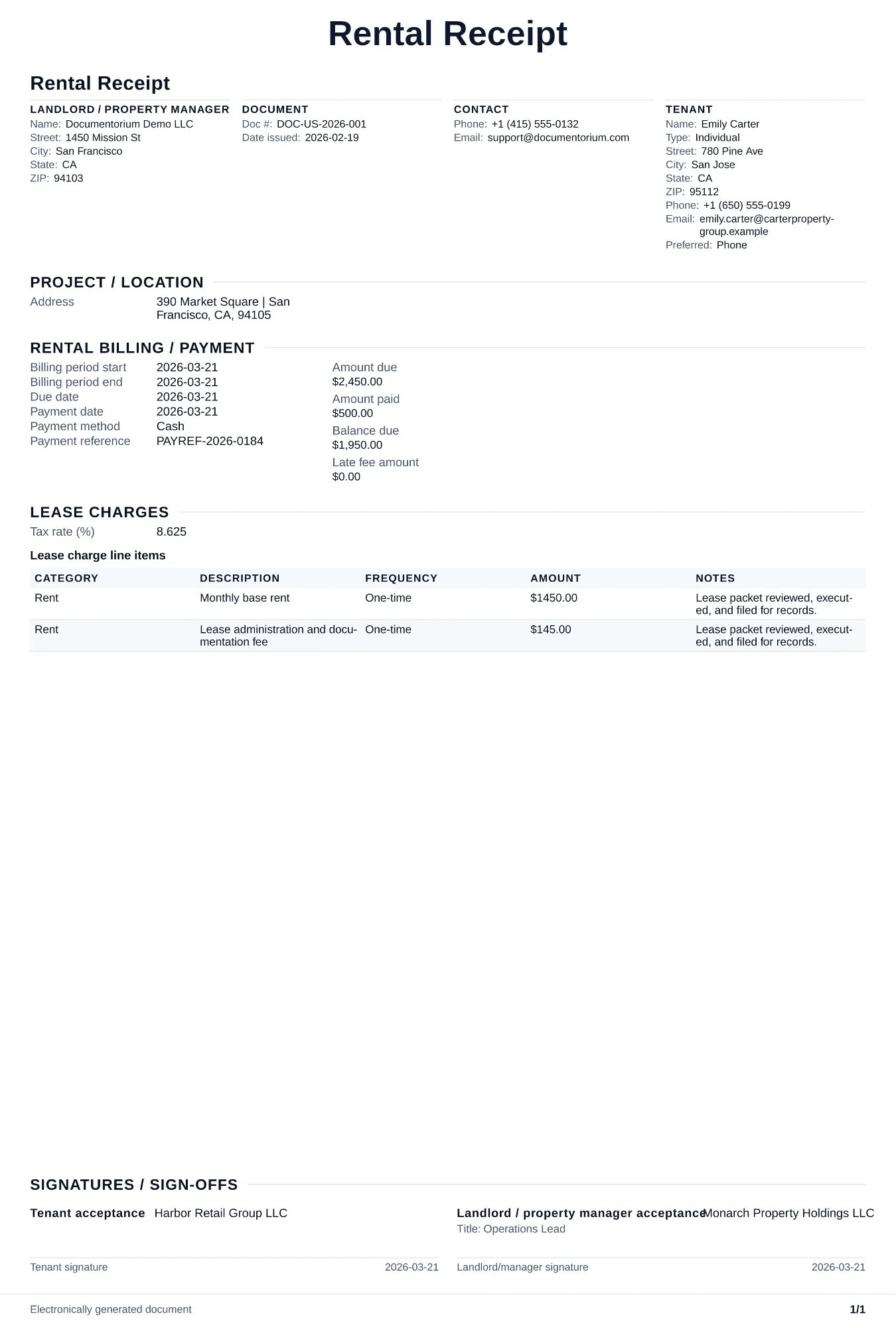
Record the payer, property, rental period, payment date, amount, method, remaining balance, and recipient acknowledgment in a receipt PDF.
Complete and download the PDF before creating an account
When to use and what to include
Record a rent or rental payment when it is received, then generate a receipt PDF. Identify the payer and property, rental period, payment date, amount and method, transaction reference, remaining balance entered, recipient, and acknowledgment.
What to include
- Date of payment, amount received, and the rental period the payment covers (e.g., 'March 2026 rent').
- Tenant's full name, property address, and unit number.
- Payment method (cash, check, money order, electronic transfer) and check or transaction number if applicable.
- Remaining balance, if the payment is partial, and any late fees included in or added to the payment.
- Landlord or property manager's printed name, signature, and contact information.
Common questions
- What should a rental receipt identify?
- Identify the payer, property and unit, rental period, payment date, amount, method, transaction reference, remaining balance entered, and the person acknowledging receipt.
- Can the receipt show a partial payment?
- Yes. Record the amount received, the charge or rental period it applies to, and the remaining balance entered. The receipt records the payment; it does not change the lease or waive other amounts unless the governing agreement says so.
- Can I save and reuse the receipt format for another payment?
- Yes. With an account, save it in your history and reuse relevant property or tenant details as a starting point, then verify the period, amount, method, and balance for the new payment.