HVAC Work Order
Turn approved work into a field-ready work order with tasks, materials, schedule details, and completion sign-off. Covers system and equipment identification…
Complete and download the PDF before creating an account
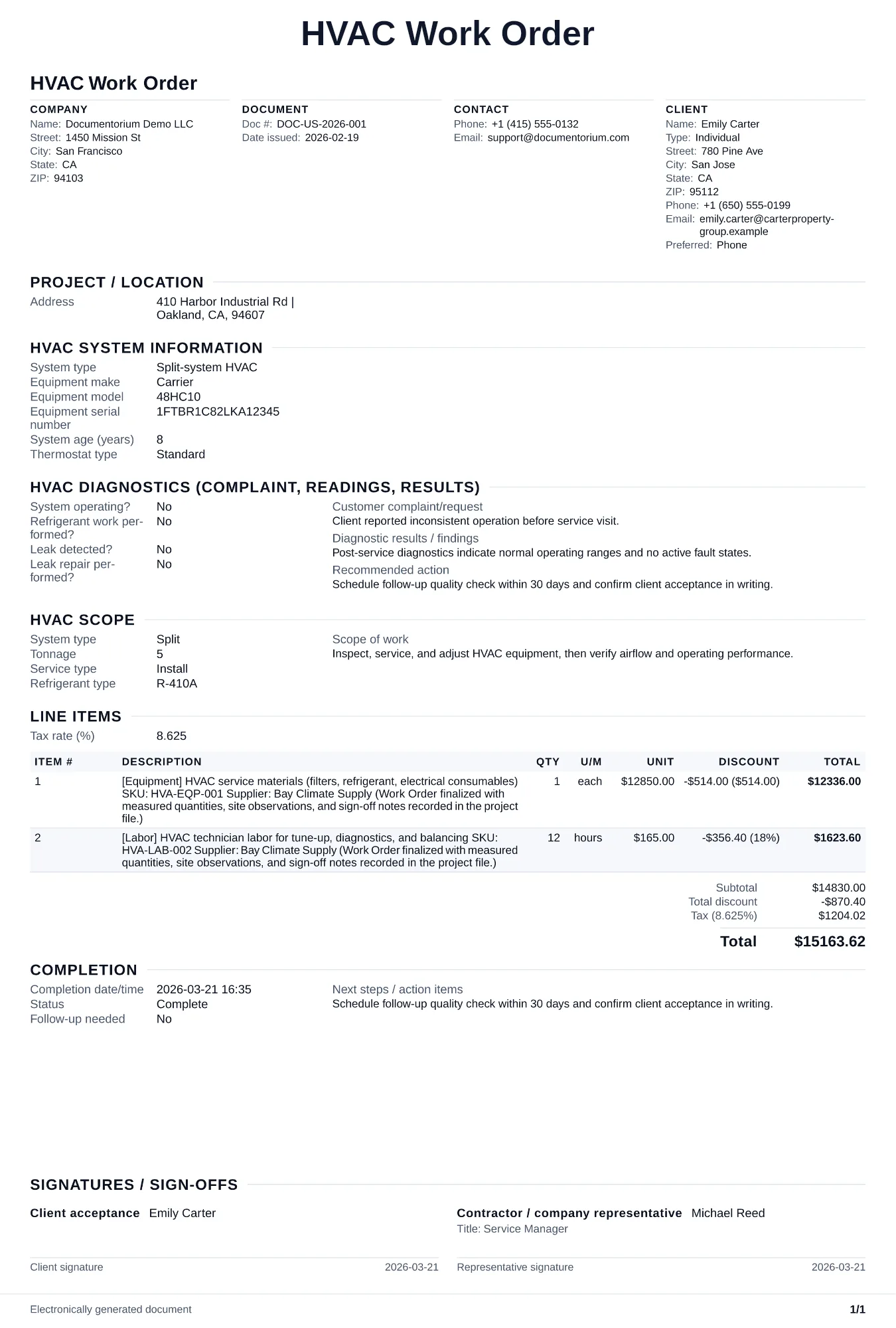
When to use and what to include
Enter the visit details online, then generate a work order PDF for the technician. Use it before an HVAC installation, repair, or maintenance visit to record the site, equipment, reported issue, tasks, materials, and instructions.
What to include
- Job site address, access instructions, customer contact info, and whether pets or security systems need to be handled.
- Equipment to service or install: make, model, serial number, tonnage, refrigerant type (R-410A, R-32, R-22), and system location (rooftop, closet, attic).
- Task checklist specific to the job type — for installs, include line set lengths, disconnect specs, pad/stand requirements, and thermostat wiring.
- Materials and tools the technician needs to load on the truck, including refrigerant recovery tanks if a changeout is involved.
- Scheduled date and time window, estimated duration, and the approved quote or contract number authorizing the work.
Common questions
- Can I edit this HVAC Work Order before the visit?
- Yes. Update the crew, site notes, materials, tasks, and schedule in the guided form before downloading the final PDF.
- Can I save this HVAC Work Order and reuse its details for similar jobs?
- Yes. With an account, save it in your history, edit it later, and reuse its job details as a starting point for similar work.
- Can I export this HVAC Work Order as a crew-ready PDF?
- Yes. Generate a PDF your team can open on-site or print for job folders.
- How much detail should I put on a work order for a routine service call?
- Include the equipment make and model, refrigerant type, reported symptom, and relevant service history so the technician arrives prepared.
- How do I keep work orders easy to identify?
- Give each job a reference number and record its customer, work, assigned crew, planned date, status, and completion notes. With an account, you can save each PDF in your document history.
- Is a work order useful for a small job?
- It can be. A short work order records the requested tasks, price, planned date, assigned crew, and customer acknowledgment in one job document.
- What should I review before using the completed HVAC Work Order?
- Review the parties, job or property details, dates, amounts, notes, and signatures entered in the HVAC Work Order. Confirm that the PDF matches the underlying job or agreement and any legal, tax, technical, filing, or notice requirements that apply to the location.