HVAC Service Report
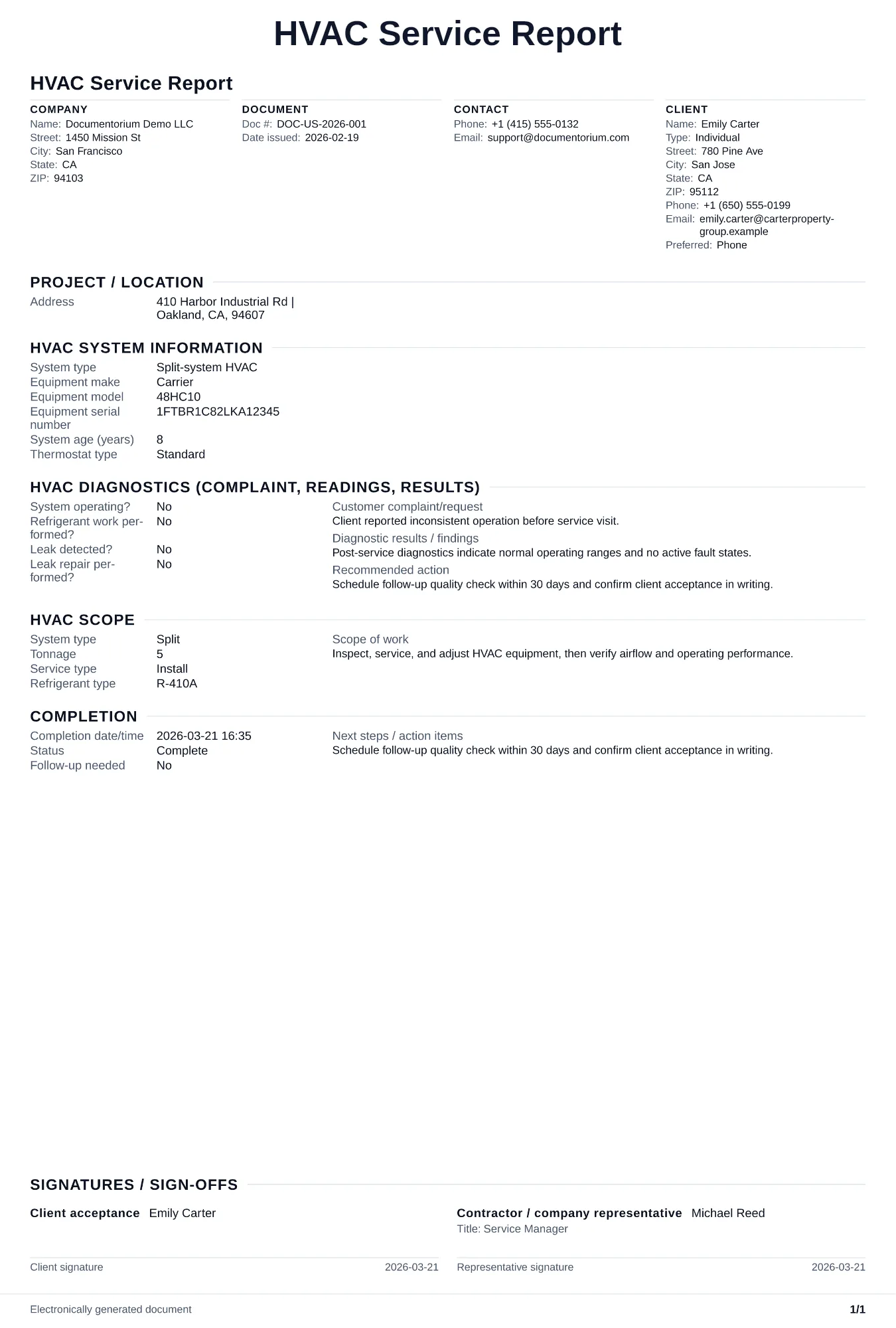
Document diagnostics, corrective actions, parts delivered, and follow-up recommendations. Covers system and equipment identification, diagnostic checks…
Complete and download the PDF before creating an account
When to use and what to include
Document completed work online, then generate a service report PDF for records and client handoff. Use this immediately after a service or maintenance visit to record system condition, work performed, and any recommendations before leaving the site.
What to include
- System identification: make, model, serial number, refrigerant type, tonnage, and installation date if visible on the data plate.
- Diagnostic readings: supply/return temperatures, superheat/subcooling, static pressure, amperage draws on compressor and blower, and capacitor microfarad readings.
- Work performed with specifics — filter size replaced, refrigerant added (ounces, refrigerant type), components cleaned, and any parts swapped with part numbers.
- Findings and recommendations ranked by urgency: immediate safety issues, near-term repairs, and suggested maintenance schedule.
- Customer acknowledgment signature, technician name, arrival/departure times, and photo references for any visible damage or wear.
Common questions
- Can I save this HVAC Service Report to maintain service history?
- Yes. With an account, save each report so repeat visits have context and your team can reference prior work.
- Why should I write a report after every service call?
- Service reports create a dated history of work, parts, readings, observations, and follow-up. On a repeat visit, the technician can compare the current condition with the prior record.
- How can a service report support follow-up work?
- Record the observed condition, recommended next step, priority, and suggested timing. This gives the customer a clear plan and creates a reliable reference for the next visit.
- What should I review before using the completed HVAC Service Report?
- Review the parties, job or property details, dates, amounts, notes, and signatures entered in the HVAC Service Report. Confirm that the PDF matches the underlying job or agreement and any legal, tax, technical, filing, or notice requirements that apply to the location.