HVAC Quote
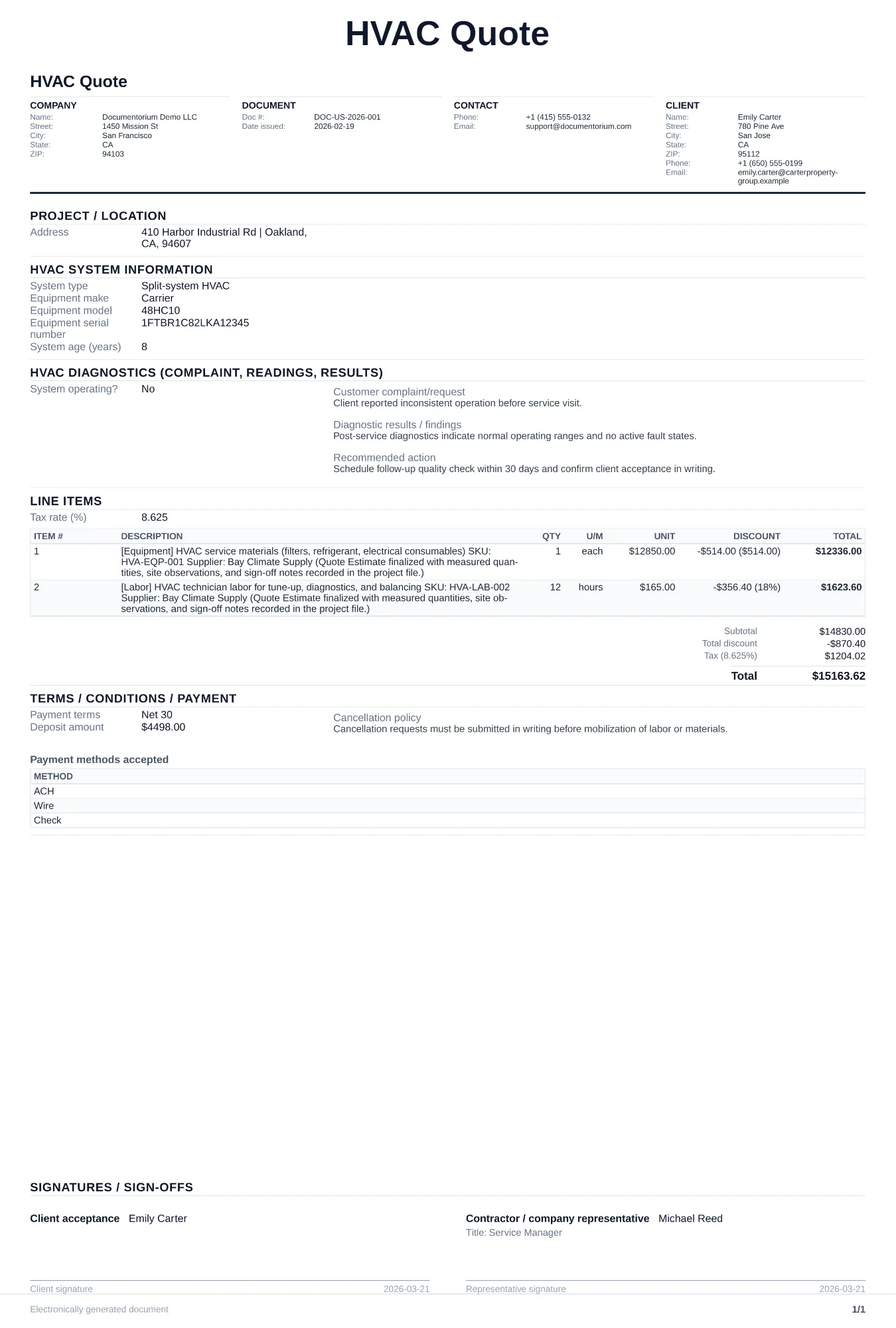
Prepare an itemized estimate with quantities, pricing, taxes entered, and totals for customer review. Covers system and equipment identification, diagnostic…
Complete and download the PDF before creating an account
When to use and what to include
Build and revise pricing online, then generate a client-ready quote PDF. Use this after a site visit or load calculation when a homeowner or property manager needs a written price for equipment installation, replacement, or major repair.
What to include
- Equipment specifications: manufacturer, model number, tonnage, SEER/SEER2 rating, HSPF for heat pumps, and AFUE for furnaces.
- Scope of work including ductwork modifications, refrigerant line sets, condensate drainage, electrical upgrades, and permit fees.
- Itemized pricing separating equipment, materials, labor, permits, and any optional add-ons like smart thermostats or UV purifiers.
- Quote validity period, estimated installation timeline, and warranty summary for both equipment and labor.
Common questions
- Can I build and revise this HVAC Quote online before sending it?
- Yes. Update scope of work, quantities, labor, and totals in your browser, then generate a polished HVAC Quote PDF.
- Can I save this HVAC Quote and reuse it for similar jobs?
- Yes. With an account, save the estimate in your history, edit it later, and reuse relevant line items and job details for similar work.
- Can I export this HVAC Quote with finalized pricing and terms?
- Yes. Download a clean PDF with the final scope of work, line items, totals, terms, and customer details ready to send.
- Should I include SEER ratings on the quote?
- Yes. Showing the SEER or SEER2 rating helps customers compare equipment performance, efficiency, and price on the same basis.
- How do I handle rebate information on the quote?
- List the gross price, then show each rebate or tax credit as a separate line item below so the customer sees the full cost and the net cost.
- How long should an HVAC quote be valid?
- Set a validity date that reflects current equipment pricing, supplier lead times, workload, and the customer's decision window, and state what happens after it expires.
- How do I make my estimates look professional?
- Add your company details, itemized labor and materials, totals, schedule, and terms so the customer can review the full estimate in one PDF.
- Should I email or text my estimates?
- Download the formatted PDF and send it by email or message so the customer can open, print, and keep the complete job details.