HVAC Bid
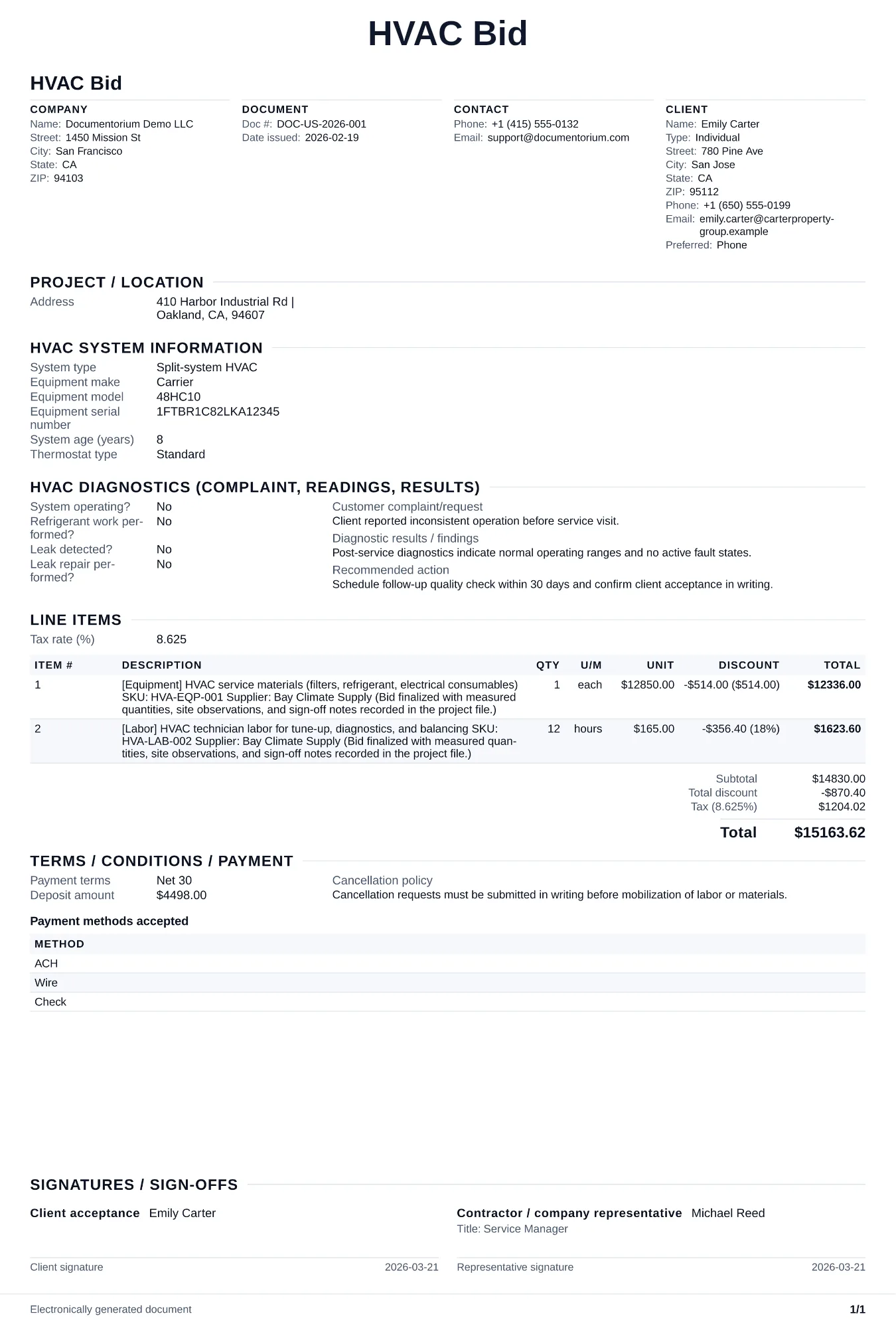
Prepare a formal HVAC bid with work boundaries, system details, diagnostics, quantity and pricing assumptions, materials, labor, alternates, and clarifications.
Complete and download the PDF before creating an account
When to use and what to include
Prepare and refine your bid online, then generate a submission-ready PDF. Use it when a general contractor, property manager, or commercial client requests HVAC pricing against defined plans, equipment specifications, alternates, and a deadline.
What to include
- Bid reference: project name, bid number, plan/spec revision date, and addenda acknowledged to confirm the scope and source documents used for pricing.
- Equipment schedule matching the specified make/model or approved equal, with tonnage, efficiency ratings, and voltage requirements for each unit.
- Clarifications, exclusions, and alternates — state clearly what is not included (e.g., structural supports, electrical to disconnect, controls by others).
Common questions
- Can I prepare this HVAC Bid online before the submission deadline?
- Yes. Complete the proposed work, assumptions, alternatives, and pricing in the guided form, then download the final PDF before the submission deadline.
- Can I reuse this HVAC Bid format for future tenders?
- Yes. With an account, save it in your history, edit it later, and reuse its structure as a starting point for another bid.
- Can I export this HVAC Bid as a clean bid package PDF?
- Yes. Generate a clear PDF for submission portals, email attachments, or printed packages.
- How is a bid different from a proposal?
- A bid responds to another party's stated specifications, submission rules, and scope. A proposal presents your recommended scope, approach, options, assumptions, schedule, and price for customer review.
- Can I suggest an alternate equipment brand?
- Yes, if the bid allows approved equals. List the alternate as a separate line item with the price difference and comparable specs.
- Should I follow up after submitting a bid?
- Yes. A brief follow-up confirms receipt, gives the client a chance to ask questions, and keeps your contact details easy to find.
- What makes a bid look professional?
- A professional bid presents an itemized scope of work, clear pricing, company details, assumptions, and terms in a consistent PDF format.