Handyman Work Order
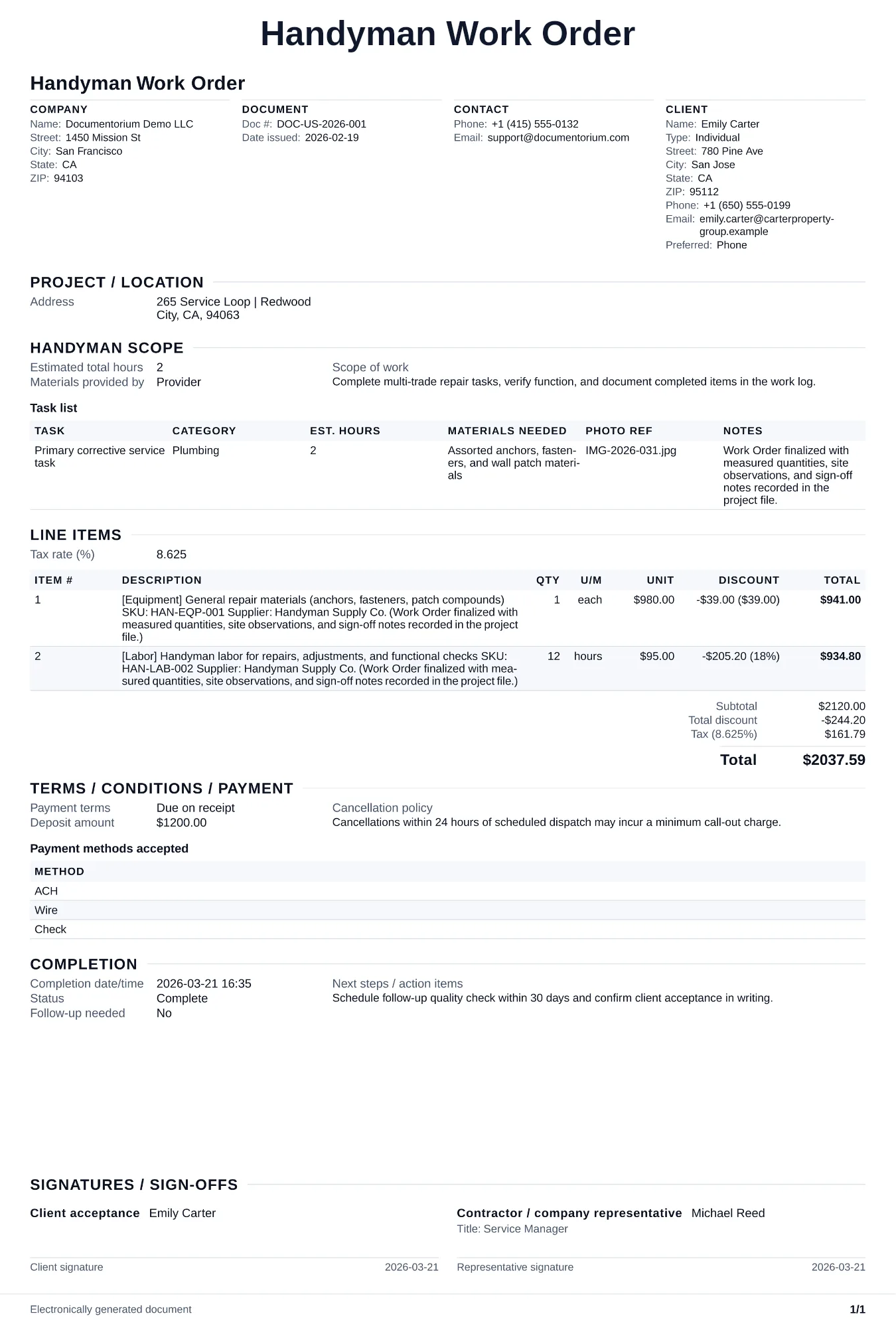
Prepare a field-ready handyman order with the approved task list, location, crew, labor allowance, materials, access notes, schedule, status, completion…
Complete and download the PDF before creating an account
When to use and what to include
Assign and adjust execution details online, then generate a field-ready work order PDF. Use this as your job-day checklist so you arrive organized, complete every task the customer expects, and document what was done for your records.
What to include
- Customer name, address, access instructions, and preferred contact method in case you have a question on-site.
- Numbered task list in the order you plan to work, with time estimate per task and any notes from the initial site visit or phone call.
- Materials and tools needed for each task, noting which items you are bringing and which the customer is supplying.
- Completion sign-off section where you log actual time spent per task, note any issues discovered, and get the customer's acknowledgment that the work is done.
Common questions
- Can I edit this Handyman Work Order before the visit?
- Yes. Update the crew, site notes, materials, tasks, and schedule in the guided form before downloading the final PDF.
- Can I save this Handyman Work Order and reuse its details for similar jobs?
- Yes. With an account, save it in your history, edit it later, and reuse its job details as a starting point for similar work.
- Can I export this Handyman Work Order as a crew-ready PDF?
- Yes. Generate a PDF your team can open on-site or print for job folders.
- Is a handyman work order the same as an invoice?
- The work order organizes the job for execution. The invoice uses the completed work order’s labor, materials, and approved changes to bill the customer.
- How do I handle a job that requires a licensed specialist for part of the work?
- Note on the work order which tasks you will complete and which require a licensed electrician, plumber, or other specialist. Complete your portion and document what is left so the homeowner can schedule the licensed work separately.
- How do I keep work orders easy to identify?
- Give each job a reference number and record its customer, work, assigned crew, planned date, status, and completion notes. With an account, you can save each PDF in your document history.
- Is a work order useful for a small job?
- It can be. A short work order records the requested tasks, price, planned date, assigned crew, and customer acknowledgment in one job document.
- What should I review before using the completed Handyman Work Order?
- Review the parties, job or property details, dates, amounts, notes, and signatures entered in the Handyman Work Order. Confirm that the PDF matches the underlying job or agreement and any legal, tax, technical, filing, or notice requirements that apply to the location.