Cancellation / Cooling-Off Notice
Record the parties, contract reference, cancellation date, delivery method, and any applicable refund details in a dated notice PDF.
Complete and download the PDF before creating an account
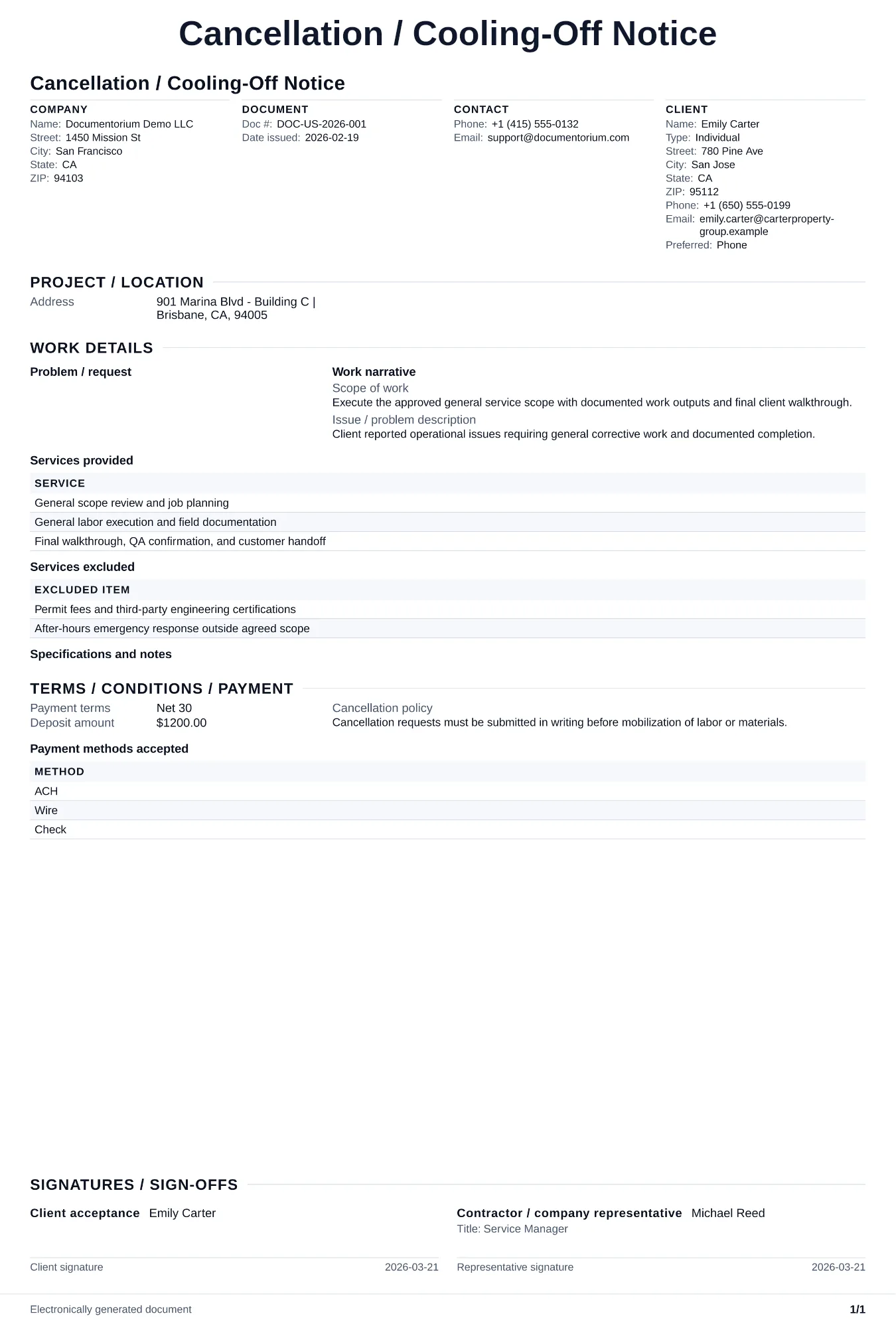
When to use and what to include
Record a cancellation notice online, then generate a dated PDF for delivery and your records. Use it to identify the parties, contract, cancellation date, delivery method, and any refund details that apply; confirm the notice period and process for the specific sale and location.
What to include
- The buyer and seller, contract or sale reference, transaction date and location, and the cancellation date or contract provision being used.
- The recipient, delivery method, delivery date, address or email used, and any proof-of-delivery reference retained for the notice.
- The amount of any deposit or payment to be returned, the stated refund method, processing date, and contact for questions.
Common questions
- Can I edit this Cancellation / Cooling-Off Notice online for each specific case?
- Yes. Update notice dates, contract references, and reason fields in the guided form before issuing.
- What is the cooling-off period for home improvement contracts?
- The FTC Cooling-Off Rule provides three business days for certain covered sales made at a buyer's home or specified other locations, with exceptions; state law may provide different or additional rights. Confirm whether the rule covers the specific transaction before stating a deadline.
- What should I review before using the completed Cancellation / Cooling-Off Notice?
- Review the parties, job or property details, dates, amounts, notes, and signatures entered in the Cancellation / Cooling-Off Notice. Confirm that the PDF matches the underlying job or agreement and any legal, tax, technical, filing, or notice requirements that apply to the location.