Catering Quote
Prepare an itemized estimate with quantities, pricing, taxes entered, and totals for customer review. Covers event logistics, menu and service scope, staffing…
Complete and download the PDF before creating an account
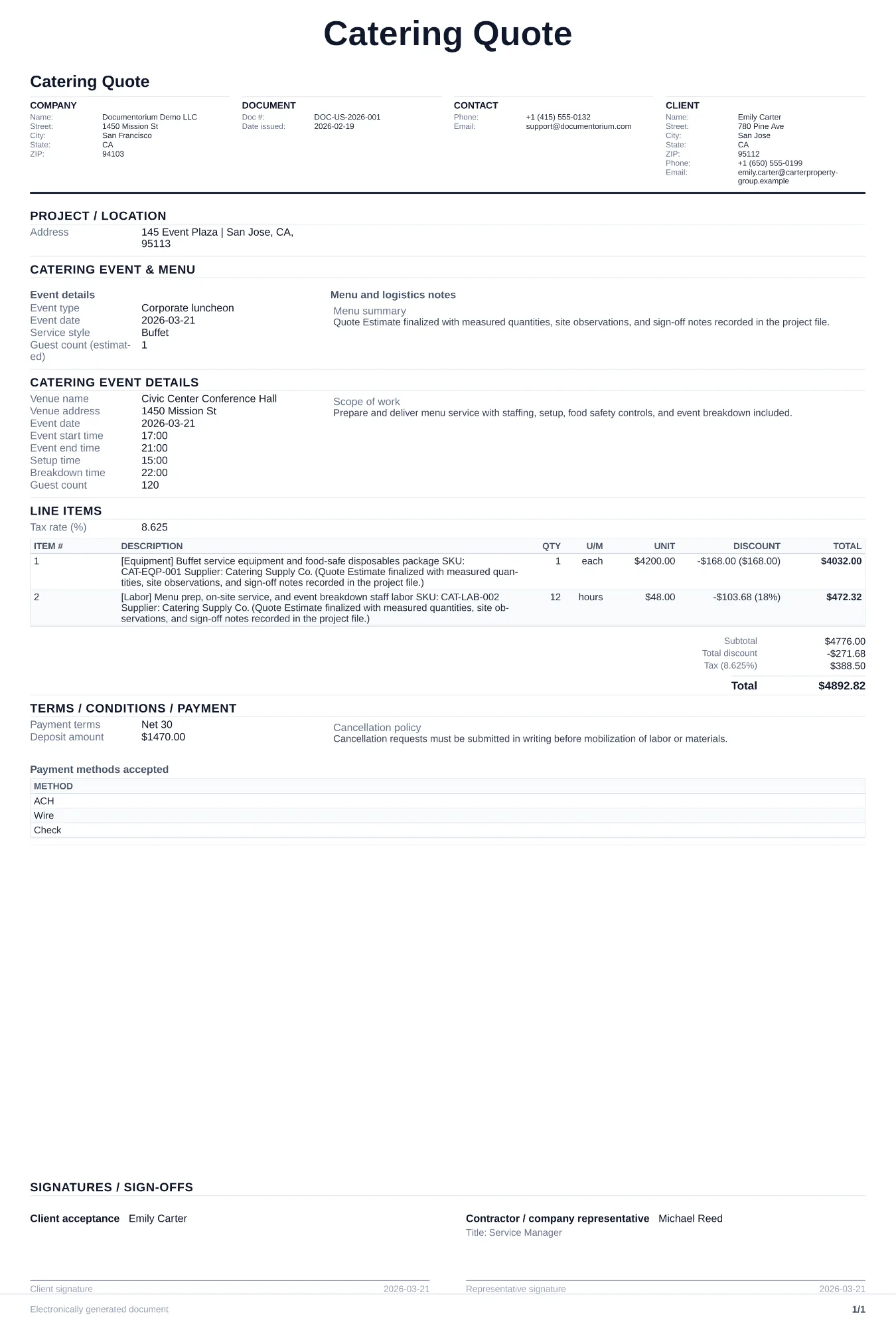
When to use and what to include
Build and revise pricing online, then generate a client-ready quote PDF. Use this when a client asks for pricing on a catered event, after the initial inquiry where you have confirmed the date, headcount, and general menu direction.
What to include
- Guaranteed guest count and pricing model (per-person vs. flat rate), with a deadline for final headcount adjustments and overage policy.
- Menu breakdown with each course or station listed: appetizers, entrees, sides, desserts, and beverages, including dietary accommodations (vegetarian, vegan, gluten-free, allergen notes).
- Service style and staffing: buffet, plated, family-style, or stations, with number of servers, bartenders, and chefs included in the price.
- Rental and logistics costs separated: linens, tableware, chafing dishes, serving equipment, setup/breakdown labor, and any delivery or travel fees to the venue.
Common questions
- Can I build and revise this Catering Quote online before sending it?
- Yes. Update scope of work, quantities, labor, and totals in your browser, then generate a polished Catering Quote PDF.
- Can I save this Catering Quote and reuse it for similar jobs?
- Yes. With an account, save the estimate in your history, edit it later, and reuse relevant line items and job details for similar work.
- Can I export this Catering Quote with finalized pricing and terms?
- Yes. Download a clean PDF with the final scope of work, line items, totals, terms, and customer details ready to send.
- Do I charge for dietary accommodations?
- Record every dietary request, allergen statement supplied by the client, sourcing or preparation limits, price difference, and approval. Do not promise allergen-free service unless the business can support the required controls.
- How do I make my estimates look professional?
- Add your company details, itemized labor and materials, totals, schedule, and terms so the customer can review the full estimate in one PDF.
- Should I email or text my estimates?
- Download the formatted PDF and send it by email or message so the customer can open, print, and keep the complete job details.