Catering Contract
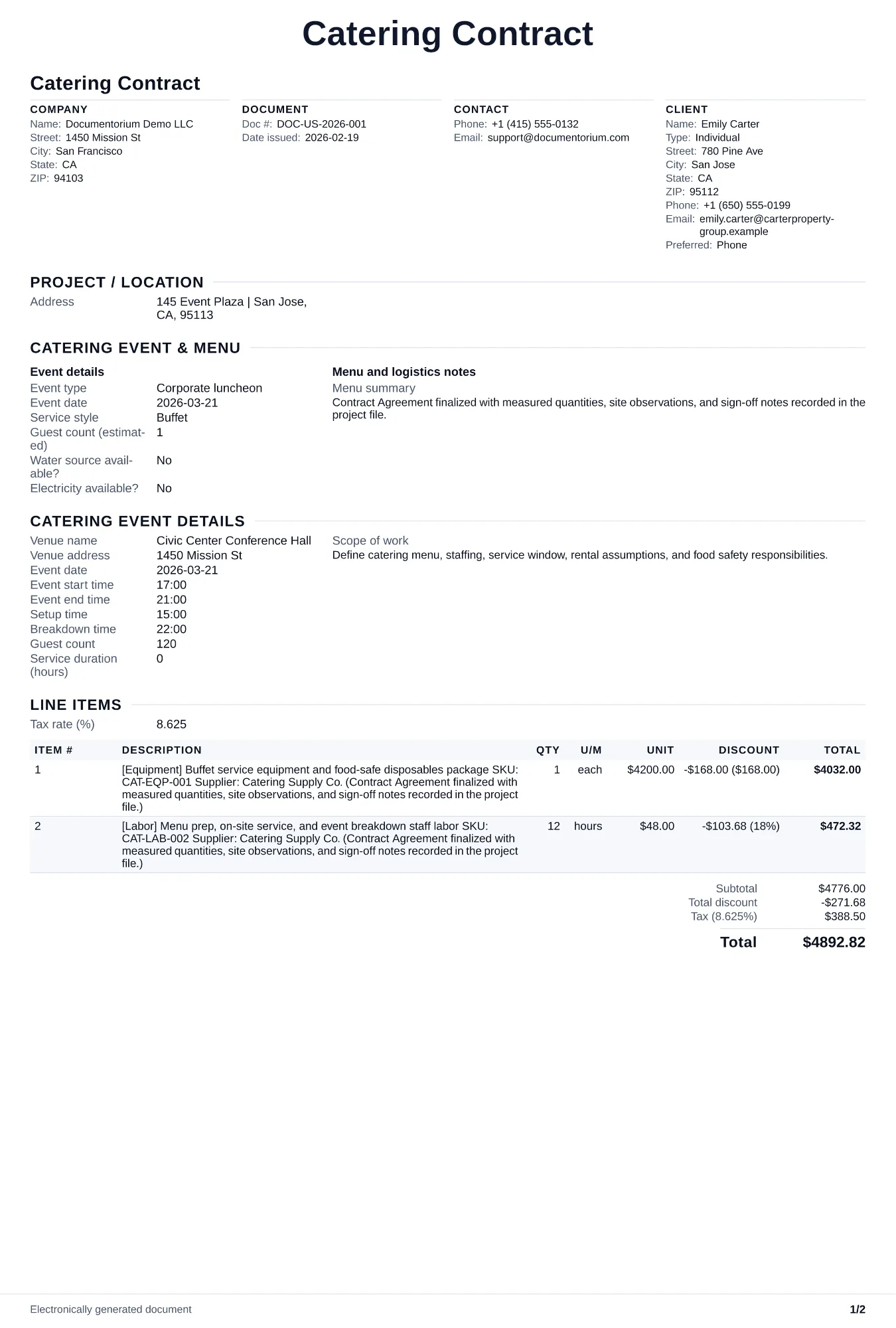
Record the agreed services, responsibilities, payment milestones, change process, cancellation terms, and signatures. Covers event logistics, menu, staffing…
Complete and download the PDF before creating an account
When to use and what to include
Draft contract terms online, then generate a clean PDF for review and signature. Use it after the client approves the proposal and before sourcing to record the menu, headcount, price, deposits, event logistics, changes, and signatures.
What to include
- Confirmed menu with every dish, portion size, and dietary accommodation listed, plus the process for menu changes and the deadline for finalizing selections.
- Payment schedule agreed for the event: deposit amount and refundability, each progress due date, final-balance due date, accepted methods, and any applicable late or cancellation terms.
- Venue logistics: load-in and load-out times, kitchen access and equipment availability, power and water requirements, and who is responsible for permits (health, alcohol, fire).
Common questions
- Can I edit this Catering Contract online before both parties sign?
- Yes. Revise the included work, payment terms, schedule, and other clauses in the guided form before downloading the final PDF.
- Can I save this Catering Contract as a reusable contract baseline?
- Yes. With an account, save the contract in your history, edit it later, and reuse relevant party, job, and term details as a starting point.
- Can I generate a sign-ready PDF from this Catering Contract?
- Yes. Export a clean contract PDF suitable for e-sign workflows or manual signatures.
- Should the contract cover gratuity?
- Yes. State whether gratuity is included in the price, added as a percentage, or left to the client's discretion. Ambiguity leads to awkward day-of conversations.
- What should I review before using the completed Catering Contract?
- Review the parties, job or property details, dates, amounts, notes, and signatures entered in the Catering Contract. Confirm that the PDF matches the underlying job or agreement and any legal, tax, technical, filing, or notice requirements that apply to the location.