Carpentry Work Order
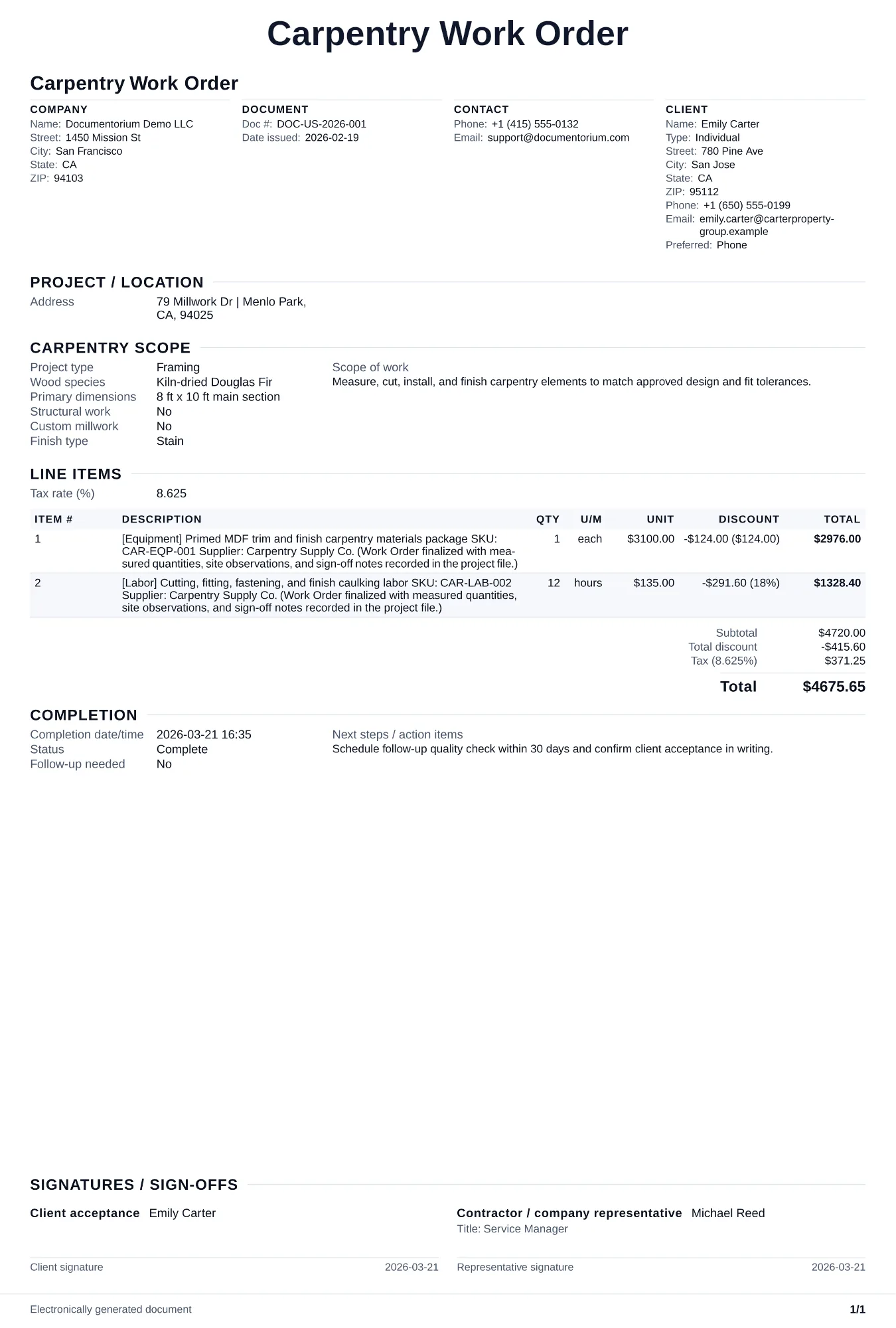
Prepare a carpentry work order with drawings and dimensions, cut and assembly tasks, lumber and hardware, finish, installation location, crew, schedule, and…
Complete and download the PDF before creating an account
When to use and what to include
Assign and adjust execution details online, then generate a field-ready work order PDF. Use this once the customer approves the quote and you need to assign the job to your crew with exact build specs, materials list, and schedule.
What to include
- Job site address, access instructions, and on-site contact name and phone number.
- Detailed build list: each component with wood species, dimensions (thickness, width, length), grain direction, and joinery method (dado, rabbet, dovetail, butt joint).
- Materials to bring: lumber quantities in board feet, sheet goods by count and thickness, fastener types and sizes, adhesive, sandpaper grits, and finish products.
- Task sequence and time estimates: rough framing first, then trim, then sanding, then finish application with dry times noted between coats.
- Completion checklist: fit and level verification, hardware function test, finish inspection, debris removal, and customer walk-through sign-off.
Common questions
- Can I edit this Carpentry Work Order before work starts?
- Yes. Update the crew, site notes, materials, tasks, and schedule in the guided form before downloading the final PDF.
- Can I save this Carpentry Work Order and reuse its details for similar jobs?
- Yes. With an account, save it in your history, edit it later, and reuse its job details as a starting point for similar work.
- Can I export this Carpentry Work Order as a crew-ready PDF?
- Yes. Generate a PDF your team can open on-site or print for job folders.
- How do I handle wood moisture content checks on the work order?
- Note the acceptable moisture range for the species and the actual reading taken before starting. If lumber arrives above the target range, document a hold for acclimation rather than installing material that will warp or crack.
- How do I keep work orders easy to identify?
- Give each job a reference number and record its customer, work, assigned crew, planned date, status, and completion notes. With an account, you can save each PDF in your document history.
- Is a work order useful for a small job?
- It can be. A short work order records the requested tasks, price, planned date, assigned crew, and customer acknowledgment in one job document.