Carpentry Quote / Estimate
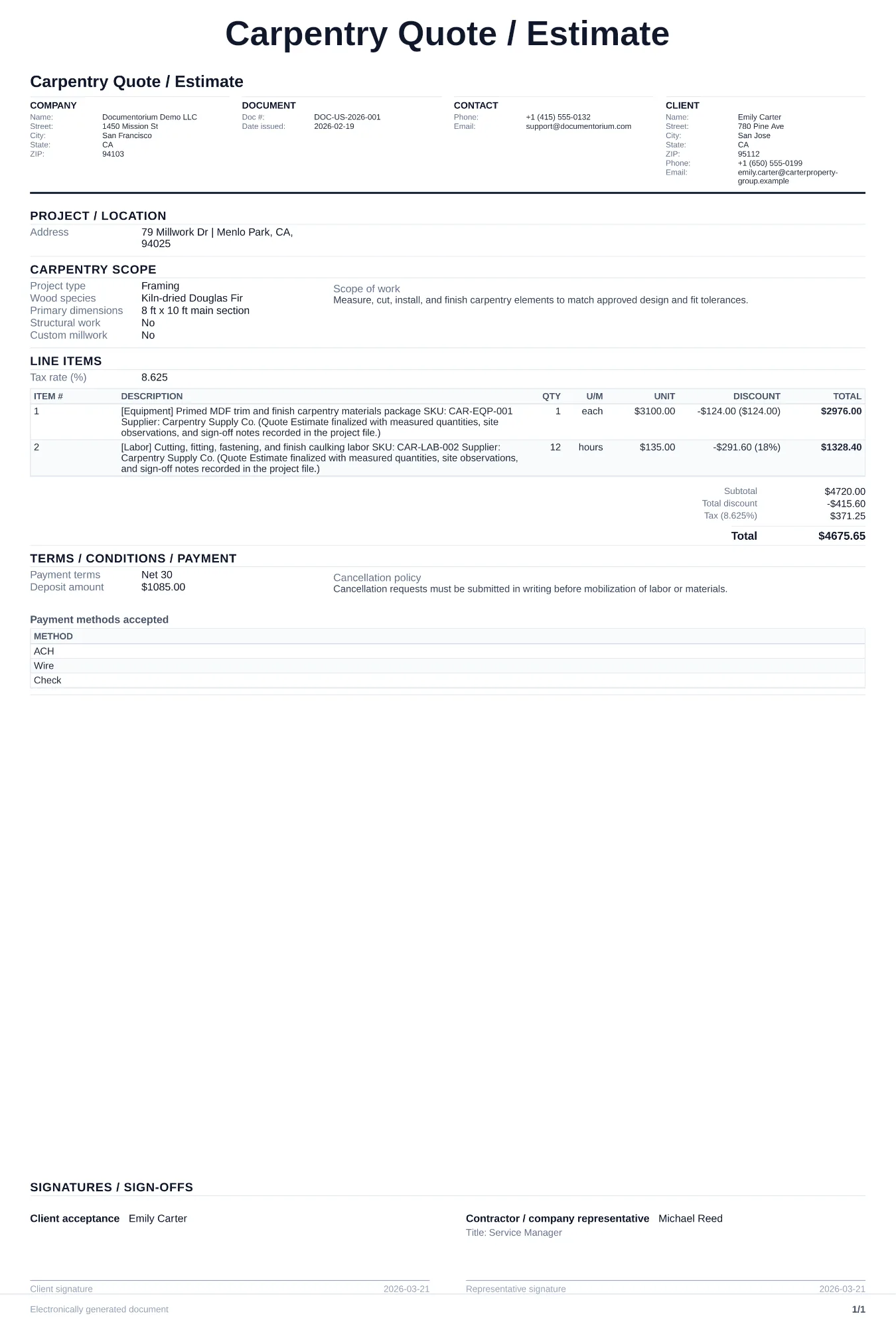
Estimate carpentry work with dimensions, lumber and sheet goods, hardware, joinery, finish, installation, labor, material quantities, schedule, assumptions…
Complete and download the PDF before creating an account
When to use and what to include
Build and revise pricing online, then generate a client-ready quote PDF. Use this after a site visit or phone consultation when a homeowner or contractor asks for written pricing on a custom build, repair, or installation project.
What to include
- Client name, property address, and project location within the home (e.g., kitchen, deck, basement).
- Line-by-line scope of work: each carpentry task with wood species (oak, maple, pine, cedar), board dimensions, joinery type (mortise-and-tenon, pocket screw, dowel, biscuit), and finish (stain color, polyurethane coats, paint grade).
- Material cost breakdown per item: lumber grade and quantity in board feet, hardware (hinges, brackets, fasteners), adhesives, and finish products.
- Labor hours per task with hourly rate, plus separate line items for any subcontracted work like electrical or plumbing rough-ins.
Common questions
- Can I build and revise this Carpentry Quote / Estimate online before sending it?
- Yes. Update scope of work, quantities, labor, and totals in your browser, then generate a polished Carpentry Quote / Estimate PDF.
- Can I save this Carpentry Quote / Estimate and reuse it for similar jobs?
- Yes. With an account, save the estimate in your history, edit it later, and reuse relevant line items and job details for similar work.
- Can I export this Carpentry Quote / Estimate with finalized pricing and terms?
- Yes. Download a clean PDF with the final scope of work, line items, totals, terms, and customer details ready to send.
- How do I price custom versus stock millwork?
- Use the unit that fits the work and supplier pricing, then separate materials, shop labor, finish, delivery, and installation so the customer can review the total.
- How do I make my estimates look professional?
- Add your company details, itemized labor and materials, totals, schedule, and terms so the customer can review the full estimate in one PDF.
- Should I email or text my estimates?
- Download the formatted PDF and send it by email or message so the customer can open, print, and keep the complete job details.