Automotive Repair Quote
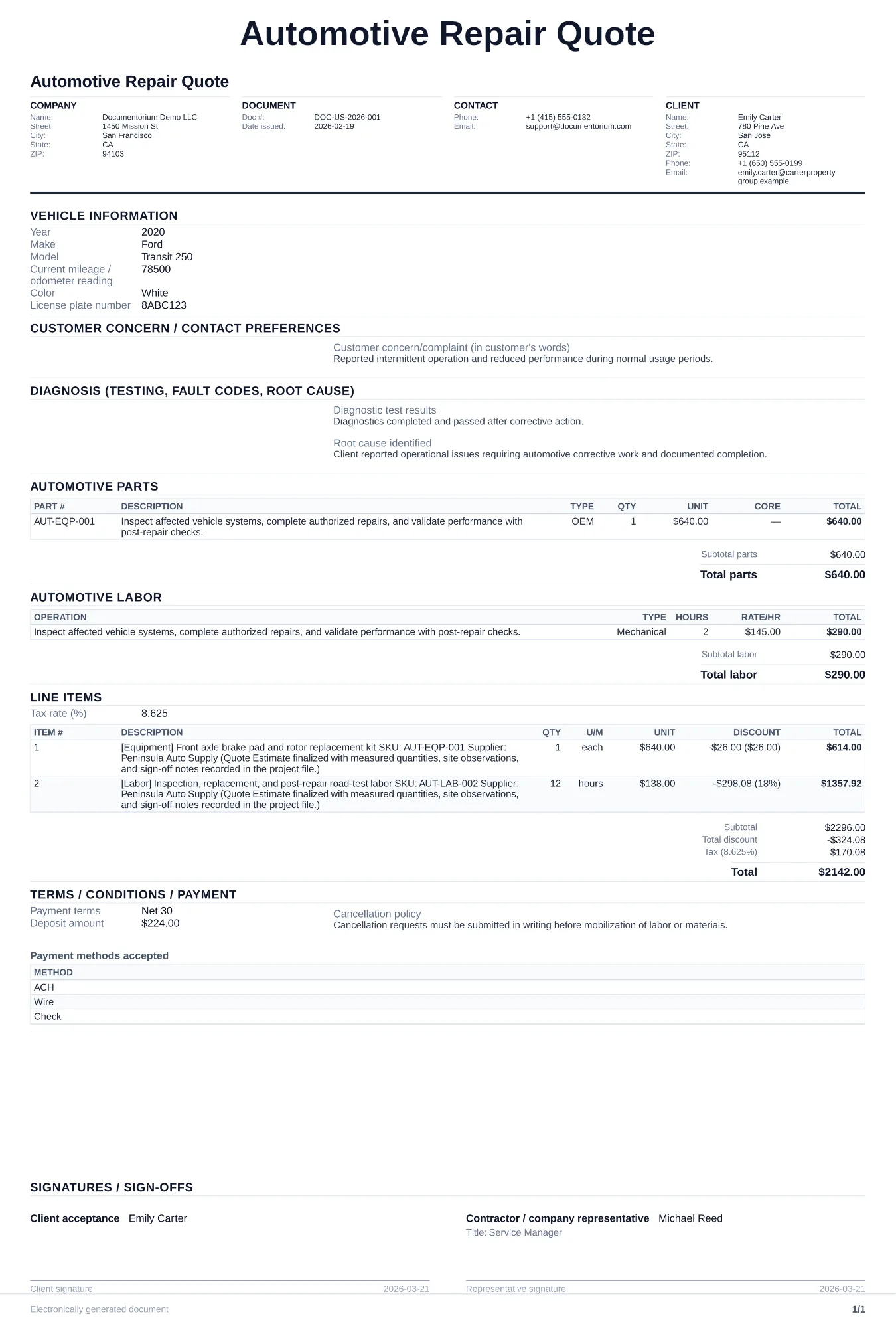
Prepare an itemized estimate with quantities, pricing, taxes entered, and totals for customer review. Covers vehicle identification, customer concerns…
Complete and download the PDF before creating an account
When to use and what to include
Build and revise pricing online, then generate a client-ready quote PDF. Use this when a customer brings in a vehicle and needs a written price breakdown before authorizing any repair work.
What to include
- Vehicle identification: year, make, model, VIN, current mileage, and license plate number.
- Customer-reported symptoms and your diagnostic findings, including any OBD-II codes pulled.
- Itemized parts list with part numbers, OEM vs. aftermarket designation, and unit pricing for each.
- Labor estimate broken down by operation with flat-rate hours or actual time, plus shop hourly rate.
- Quote validity period, payment terms, and a clear note on whether the diagnostic fee applies toward the repair.
Common questions
- Can I build and revise this Automotive Repair Quote online before sending it?
- Yes. Update scope of work, quantities, labor, and totals in your browser, then generate a polished Automotive Repair Quote PDF.
- Can I save this Automotive Repair Quote and reuse it for similar jobs?
- Yes. With an account, save the estimate in your history, edit it later, and reuse relevant line items and job details for similar work.
- Can I export this Automotive Repair Quote with finalized pricing and terms?
- Yes. Download a clean PDF with the final scope of work, line items, totals, terms, and customer details ready to send.
- How long should an automotive repair quote stay valid?
- Set a validity date that reflects current parts pricing, availability, and the customer's decision window. State how pricing will be reviewed if a part becomes unavailable or changes price.
- Do I need to quote OEM and aftermarket options separately?
- It is good practice. Giving both options lets the customer choose and shows transparency on the price difference.
- Should the diagnostic fee be listed on the quote?
- Yes. State the fee and whether it gets credited toward the repair if the customer approves the work.
- How do I make my estimates look professional?
- Add your company details, itemized labor and materials, totals, schedule, and terms so the customer can review the full estimate in one PDF.
- Should I email or text my estimates?
- Download the formatted PDF and send it by email or message so the customer can open, print, and keep the complete job details.